 Is Now Vyapar TaxOne | Same Trust, New Name!



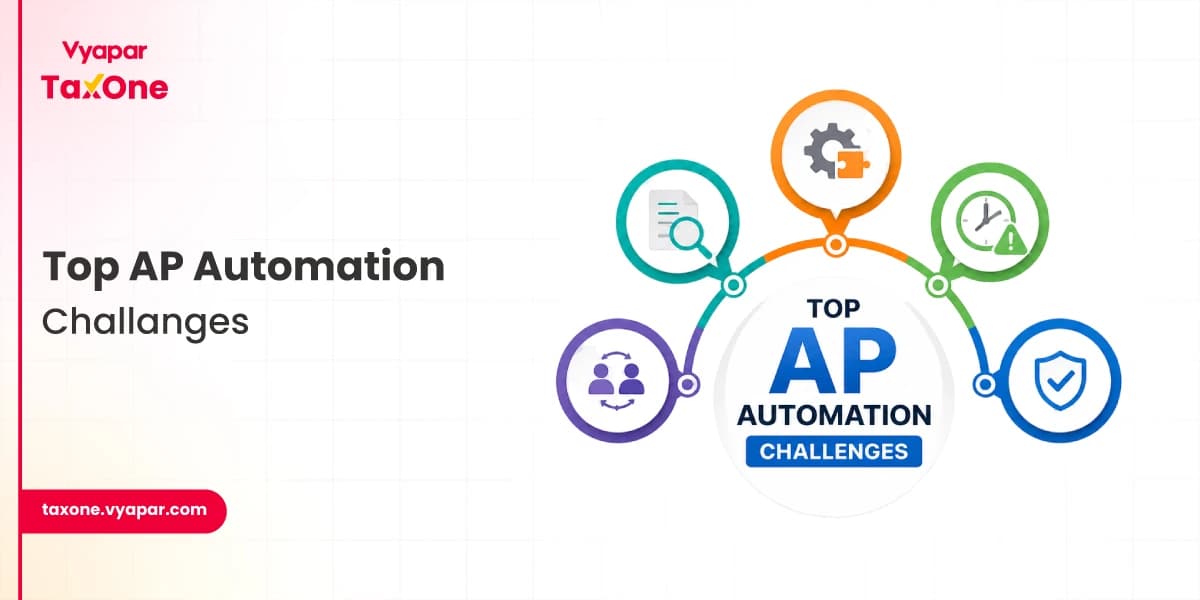
A lot has already been written about AP automation challenges. Most articles talk about the same issues: manual data entry, slow approvals, poor visibility, and security risks. While these points are important, they do not fully explain why many businesses still struggle after choosing an AP automation solution.
The difference lies in execution. AP automation works best when it is designed around real finance workflows, vendor behavior, approval rules, accounting requirements, and compliance needs.
Businesses do not need automation that only digitizes invoices. They need automation that reduces confusion, improves control, and helps teams make faster, more accurate payment decisions.
This guide focuses on the practical side of AP automation. It explains the common challenges businesses face, why they occur, and how to address them in a way that supports daily finance operations rather than disrupting them.
What Are AP Automation Challenges?
AP automation challenges are the issues businesses face as they move from manual accounts payable processes to automated invoice, approval, reconciliation, and payment workflows.
These challenges may include incorrect invoice data, poor system integration, lack of real-time visibility, employee resistance, vendor onboarding errors, security risks, and compliance gaps.
The goal of AP automation is not only to reduce manual work but also to improve accuracy, approval control, vendor communication, and financial decision-making.
Top AP Automation Challenges in India and How to Solve Them
Challenge No. 1: Inaccurate Invoice Data
One of the most common AP automation challenges is inaccurate invoice data. When invoice numbers, GST details, vendor names, amounts, purchase orders, or payment terms are entered incorrectly, it can lead to duplicate payments, delayed approvals, wrong accounting entries, and reconciliation issues.
This usually happens when businesses rely on manual data entry, receive invoices in different formats, or lack proper validation rules. Even after implementing AP automation, poor-quality data can affect the accuracy of the entire workflow.
How to Improve Data Accuracy in AP Automation
- Use OCR and AI-based invoice data capture to reduce manual entry.
- Set validation rules for GSTIN, PAN, invoice number, vendor name, amount, and tax fields.
- Match invoices with purchase orders, goods receipts, or supporting documents before approval.
- Review exception reports regularly to identify recurring data issues.
A strong AP automation system should not simply capture invoice data. It should also validate, flag, and route incorrect entries before they affect payments or accounting records.
Challenge No. 2: Poor Visibility into Invoice and Payment Status
Another challenge of AP automation is low visibility into operations. In manual accounts payable processes, finance teams often struggle to track where an invoice is stuck, who needs to approve it, whether payment is pending, or whether the vendor has already followed up.
Low visibility into operations can lead to a number of problems, including missed deadlines, errors in processing, and fraud.
How to Improve AP Process Visibility
- Use dashboards to track invoice status, approval stage, pending payments, and overdue invoices.
- Set automated alerts for invoices that have been waiting too long at any approval level.
- Create reports for invoice processing time, payment delays, exception rates, and vendor-wise outstanding amounts.
- Give finance teams and approvers controlled access to real-time AP data.
- Use audit trails to track who approved, rejected, edited, or delayed each invoice.
Better visibility helps businesses make faster payment decisions, reduce vendor follow-ups, and improve overall AP automation performance.
Challenge No. 3: Disparate Systems
Many businesses in India use many different systems to manage their finances, such as enterprise resource planning (ERP) systems, accounting software, and procurement systems.
The use of disparate systems can make it difficult to integrate AP automation with other financial systems. This can lead to data silos and inefficiencies in the AP process.
How to Overcome Challenges of Disparate Systems in AP Automation
- Choose an AP automation solution that can integrate with your existing financial systems.
- Implement a data integration strategy to ensure that data can flow seamlessly between different systems.
Also Read: How to do AP Automation with Accounting Automation?
Challenge No. 4: Resistance from Finance Teams and Approvers
AP automation changes how invoices are received, reviewed, approved, and paid. Team members who are comfortable with manual processes may hesitate to adopt a new system, especially if they feel automation will make their work more complex or reduce their control.
This resistance can slow down implementation and reduce the impact of AP automation.
How to Reduce Team Resistance
- Explain how AP automation reduces repetitive work instead of replacing finance expertise.
- Train users based on their role, such as data entry, approval, review, or reporting.
- Start with a small pilot process before rolling out automation across all vendors or branches.
- Collect feedback from finance teams and approvers during implementation.
- Create simple SOPs for invoice upload, approval, exception handling, and payment tracking.
A successful AP automation rollout depends as much on people and process adoption as it does on technology.
Challenge No. 5: Security, Access Control, and Fraud Risks
Accounts payable involves sensitive financial information, including vendor bank details, invoices, tax records, payment approvals, and internal accounting data. If access is not controlled properly, businesses may face fraud, unauthorized changes, duplicate payments, or data leaks.
Security is one of the most important AP automation challenges because even a small weakness in approval control or vendor data management can create financial risk.
How to Improve Security in AP Automation
- Use role-based access control so each user can only view or edit what is necessary.
- Enable approval workflows for vendor bank detail changes.
- Maintain audit trails for invoice edits, approvals, rejections, and payment actions.
- Use encryption and secure data storage for invoices and vendor records.
- Review user access regularly, especially when employees change roles or leave the company.
- Set alerts for duplicate invoices, unusual payment amounts, or changes in vendor payment details.
A secure AP automation system should protect business data while enabling finance teams to process invoices quickly.
Other AP Automation Challenges Businesses Should Not Ignore
Apart from data accuracy, visibility, integration, team adoption, and security, businesses may also face a few additional AP automation challenges during implementation.
1. Complex Approval Workflows
Some invoices require approval from multiple departments, branches, or senior managers. If the AP automation system does not support custom approval rules, invoices may still get delayed.
Solution: Set approval workflows based on invoice amount, vendor category, department, branch, or expense type.
2. Poor Vendor Master Data
Duplicate vendor names, outdated bank details, missing GSTIN, or incorrect contact information can create payment and reconciliation problems.
Solution: Clean vendor records before implementation and create a process to verify vendor details regularly.
3. Invoice Exceptions
Invoices may fail automation rules when purchase orders, goods receipts, tax values, or vendor details do not match.
Solution: Create a clear exception-handling process, so finance teams know which invoices need manual review and why.
4. Compliance and Audit Readiness
Businesses need proper documentation for invoice approvals, tax records, payment history, and vendor communication.
Solution: Use AP automation to maintain digital records, approval logs, and searchable invoice history for easier audits.
5. Measuring ROI
Some businesses implement AP automation but do not track whether it actually saves time or reduces errors.
Solution: Monitor key metrics such as invoice processing time, duplicate payments avoided, approval delays, exception rate, and vendor query reduction.
Overcoming Vendor Onboarding Challenges in AP Automation
One of the most significant challenges in AP automation is vendor onboarding. The process of adding new vendors to the system can be time-consuming and error-prone. This is especially true for businesses that have a large number of vendors.
Challenges of Vendor Onboarding
- Manual Processes: Vendor onboarding is often a manual process that involves collecting and verifying a variety of documents, such as W-9 forms, tax certificates, and insurance certificates. This can be time-consuming and error-prone.
- Data Entry Errors: Data entry errors can occur when manually entering vendor information into the AP system. These errors can lead to payment delays and other problems.
- Duplicate Vendors: It is not uncommon for businesses to have duplicate vendors in their systems. This can lead to confusion and errors in payments.
How to Overcome Vendor Onboarding Challenges
- Automate the Process: AP automation solutions can automate many of the steps involved in vendor onboarding. This can help to reduce the time and effort required to add new vendors to the system.
- Use Vendor Self-Service Portals: Vendor self-service portals allow vendors to submit their own information and documentation online. This can help to streamline the onboarding process and reduce the workload on AP staff.
- Implement Data Validation Rules: Data validation rules can help to prevent data entry errors during the vendor onboarding process.
- Use AI and ML: AI and ML can be used to automate verifying vendor information and identifying duplicate vendors.
By addressing these challenges, businesses can improve the efficiency and accuracy of their vendor onboarding processes. This can help to reduce costs, improve cash flow, and strengthen relationships with vendors.
AP Automation Readiness Checklist
Before implementing AP automation, businesses should check whether their current accounts payable process is ready for automation.
Use this checklist:
- Are vendor records up to date and free of duplicates?
- Are invoice approval rules clearly defined?
- Are GST, PAN, and bank details verified for vendors?
- Are accounting or ERP integrations available?
- Are finance team members trained on the new workflow?
- Are security roles and approval permissions clearly assigned?
- Are reports available for invoice status, pending approvals, and payment delays?
- Is there a process to handle invoice exceptions?
- Are digital records maintained for audit and compliance?
This checklist helps businesses reduce implementation issues and get better results from AP automation.
In a Nutshell
AP automation can provide several benefits for businesses in India, but some challenges need to be overcome. By understanding these challenges and taking steps to address them, businesses can successfully implement AP automation and reap the rewards.
FAQs
Q1. What are the common AP automation challenges?
The most common AP automation challenges include inaccurate invoice data, approval delays, poor visibility, disconnected accounting systems, vendor onboarding errors, security concerns, and resistance from finance teams.
Q2. Why do businesses face problems while implementing AP automation?
Businesses face problems during AP automation implementation when vendor data is not clean, approval workflows are unclear, accounting systems are not integrated, or team members are not trained properly.
Q3. How can AP automation improve invoice accuracy?
AP automation improves invoice accuracy by using OCR, AI-based data capture, validation rules, duplicate invoice checks, and invoice matching with purchase orders or supporting documents.
Q4. Is AP automation useful for small and medium businesses?
Yes, AP automation is useful for small and medium businesses because it reduces manual data entry, improves payment tracking, lowers invoice errors, and helps finance teams manage vendor payments more efficiently.
Q5. How can businesses overcome AP automation challenges?
Businesses can overcome AP automation challenges by cleaning vendor data, setting clear approval workflows, integrating AP automation with accounting software, training users, strengthening security controls, and regularly tracking AP performance.



