Grant specific company access to a user in Vyapar TaxOne, allowing them to view and manage relevant data. Ideal for controlling permissions based on user roles.
How to Assign a Company to a User?
Step 1. Access the User Section:
Log in to your Primary (Main) Account.
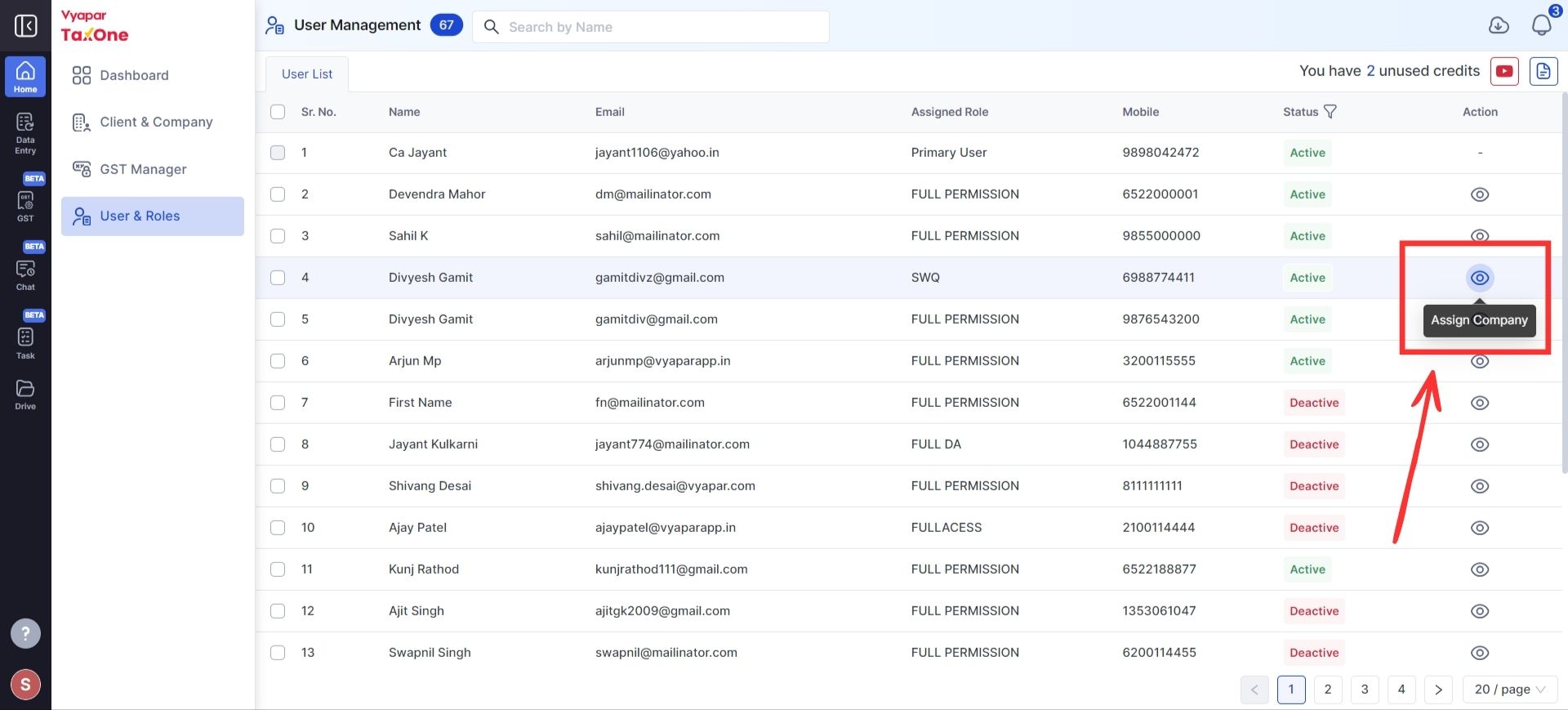
Navigate to the User & Roles section.
Step 2. Assign the Company:
Click on "Assign Company".
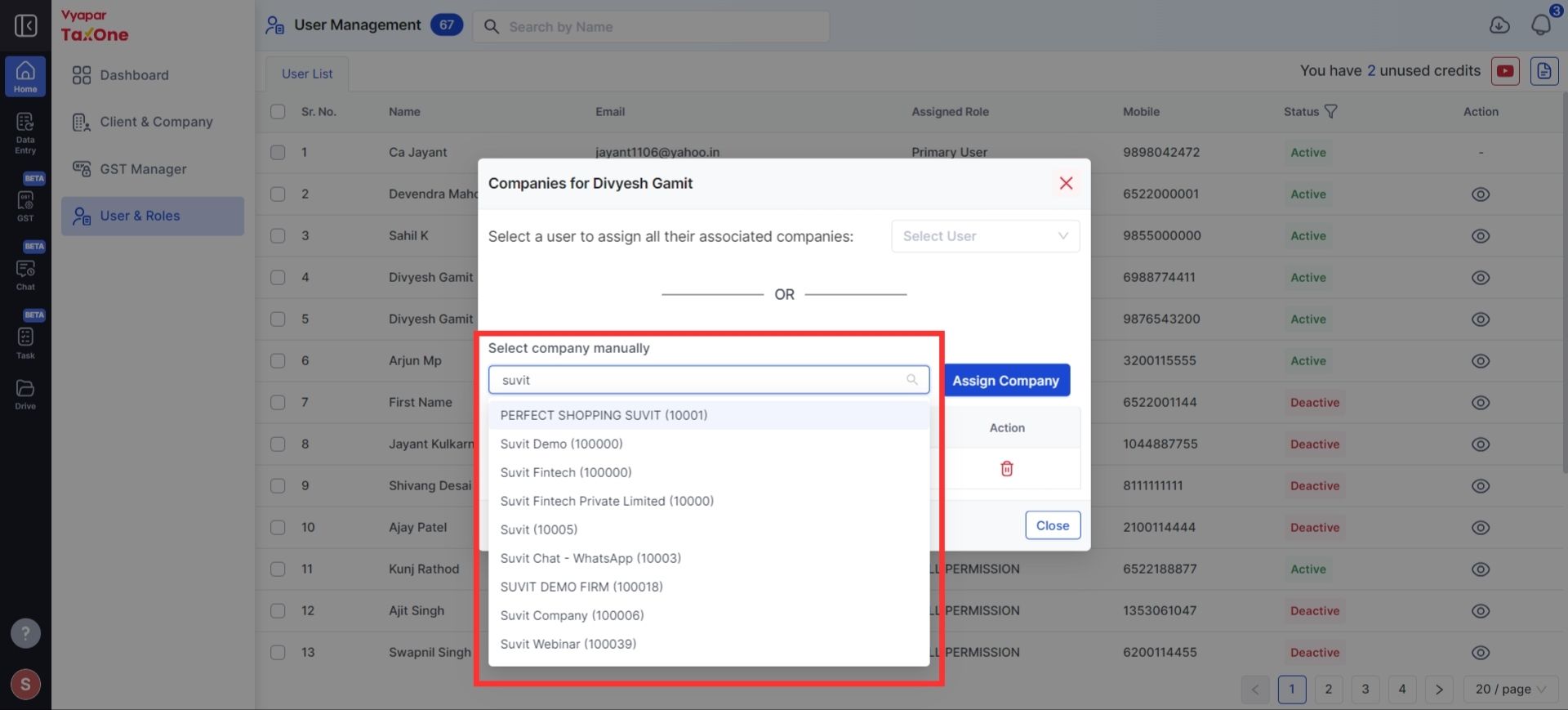
A drop-down menu will appear.
Search and select the required company from the list.
Step 3. Finalize the Assignment:
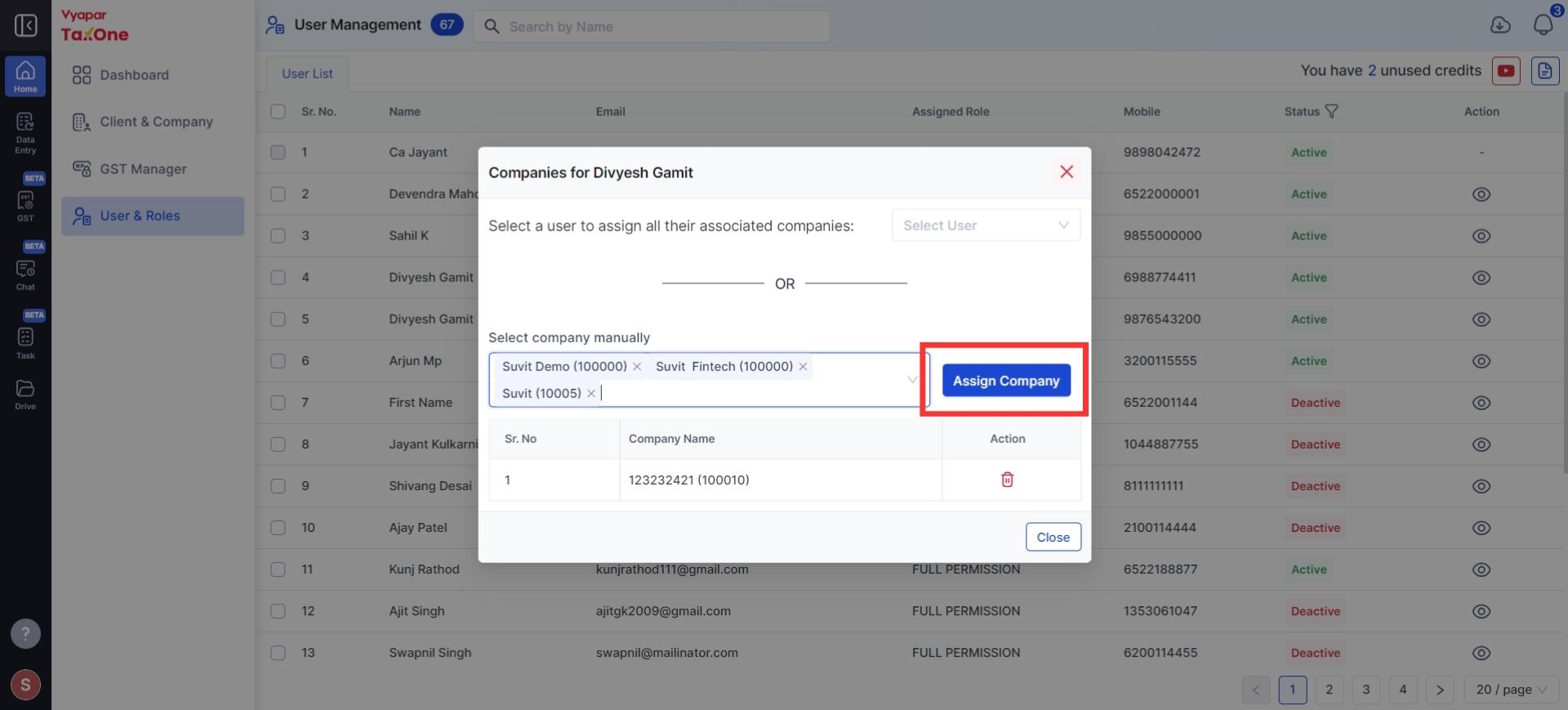
Click on "Assign Company" to give the selected user access to the chosen company.
Important Notes:
Full Access by Default:
If the user has been assigned full access by default, they will automatically have access to all companies without the need to assign them individually.