How to Change Date and Edit Narration in Vyapar TaxOne Banking Module
Learn how to change the transaction date and edit narration in Vyapar TaxOne’s Banking Module. Follow simple steps to update fields and save changes easily.
Date Change
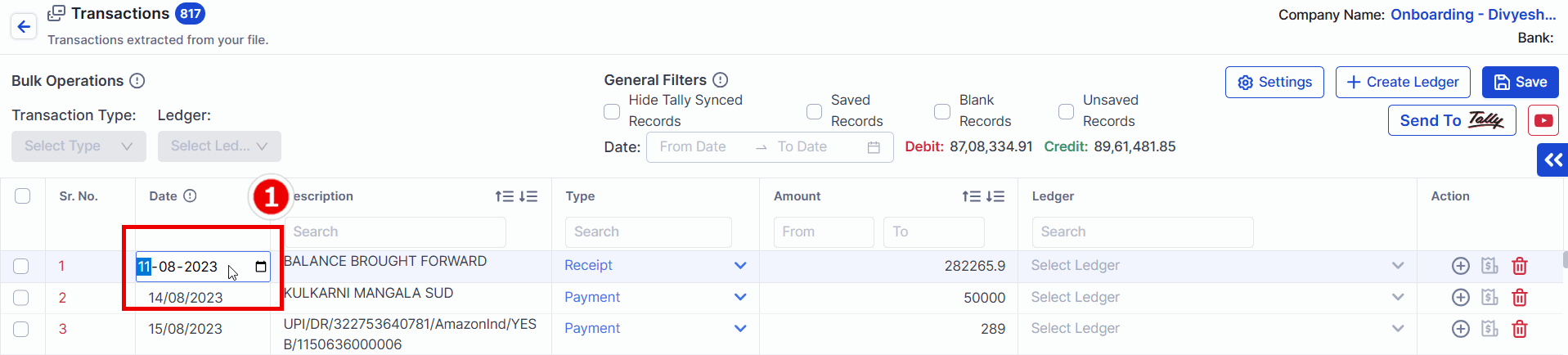
Step 1 - Click on the Date Field
Click on the Date field for the transaction you wish to modify.
Step 2 - Enter Desired Date
Input the new date as required.
Step 3 - Save the Changes
Click anywhere on the screen to save the updated date.
How to Edit Narration
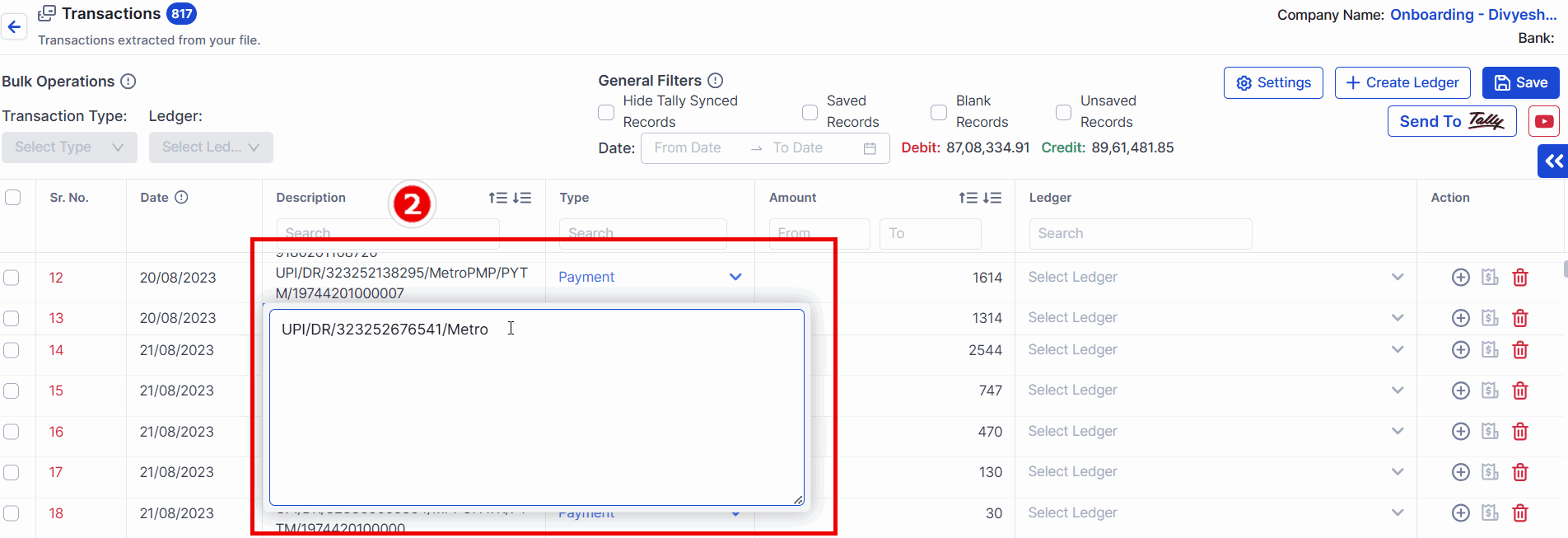
Step 1 - Click on Narration (Description)
Click on the Narration field for the transaction.
Step 2 - Add or Delete Content
Make the necessary changes by adding or deleting content.
Step 3 - Save the Changes
Click anywhere on the screen to save the updated narration.