How to Clone Ledger Master and Copy Stock Item Master in Vyapar TaxOne
Learn how to copy a Ledger Master and Stock Item Master in Vyapar TaxOne. This guide helps you duplicate existing records quickly for efficient data management
Navigation
- Login into Vyapar TaxOne.
- Click on Explore Now under Data Entry Automation.
Steps to Clone Ledger Master
Step 1 - Select the Ledger to Clone
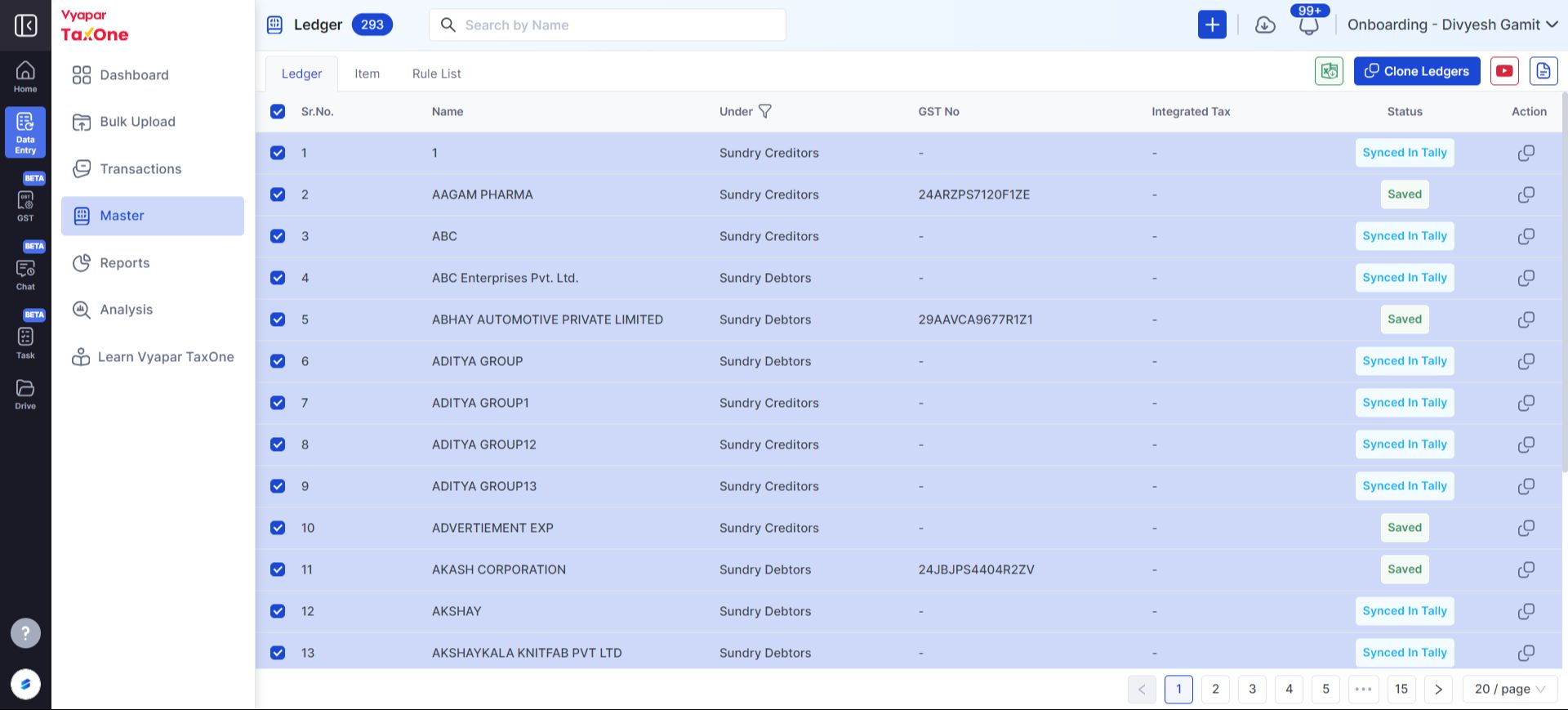
- 1 → Go to the Master Module
- 2 → Select Ledger from the available options.
- 3 → Choose the ledger you want to clone.
- 4 → Click on the Clone Ledgers option.
Step 2 - Select Company to Copy
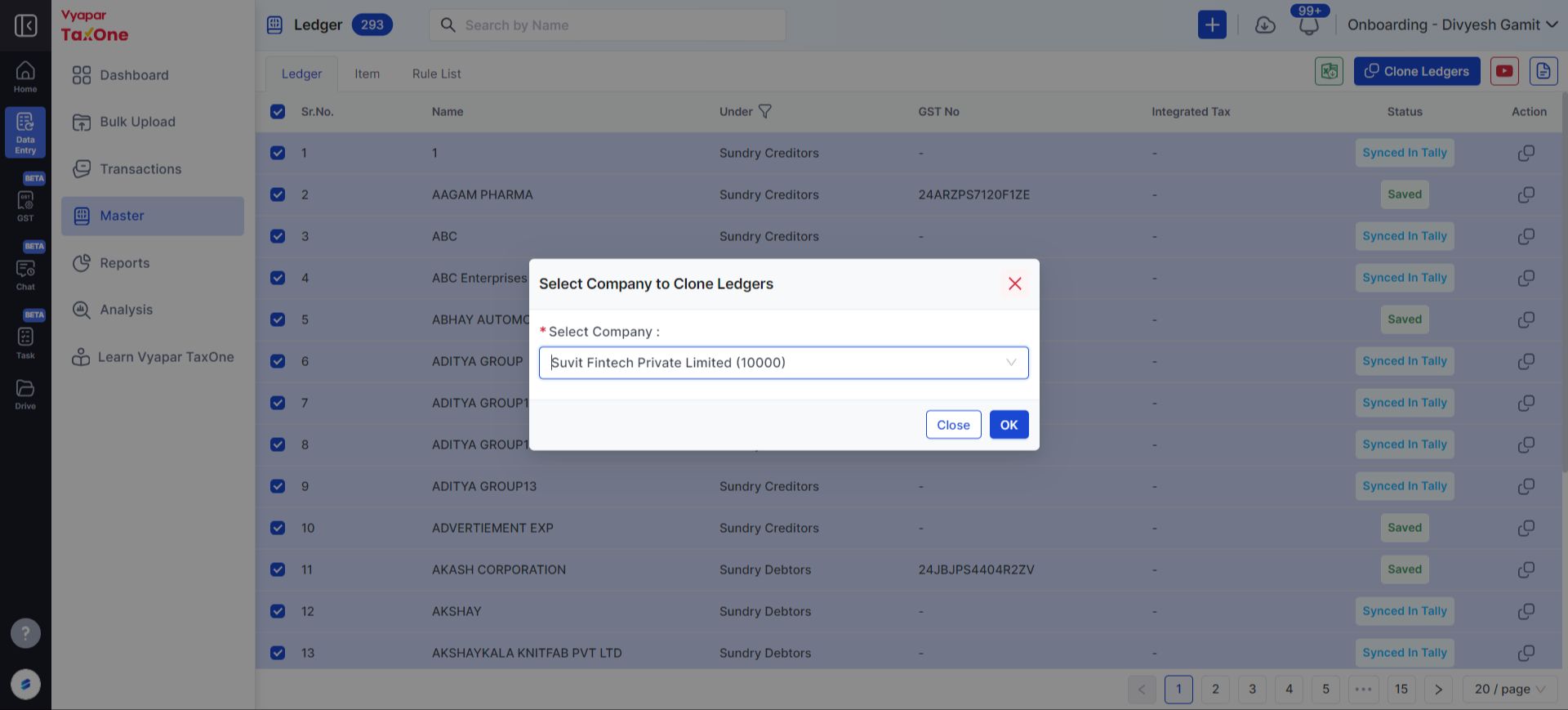
- 5 → Select Company
- 6 → Click on the OK button to copy the Ledgers(Party Name).
Now, the Ledger Master has been successfully cloned in Vyapar TaxOne! 🚀
Steps to Copy Stock Item Master
Step 1 - Select the Stock Item to Copy
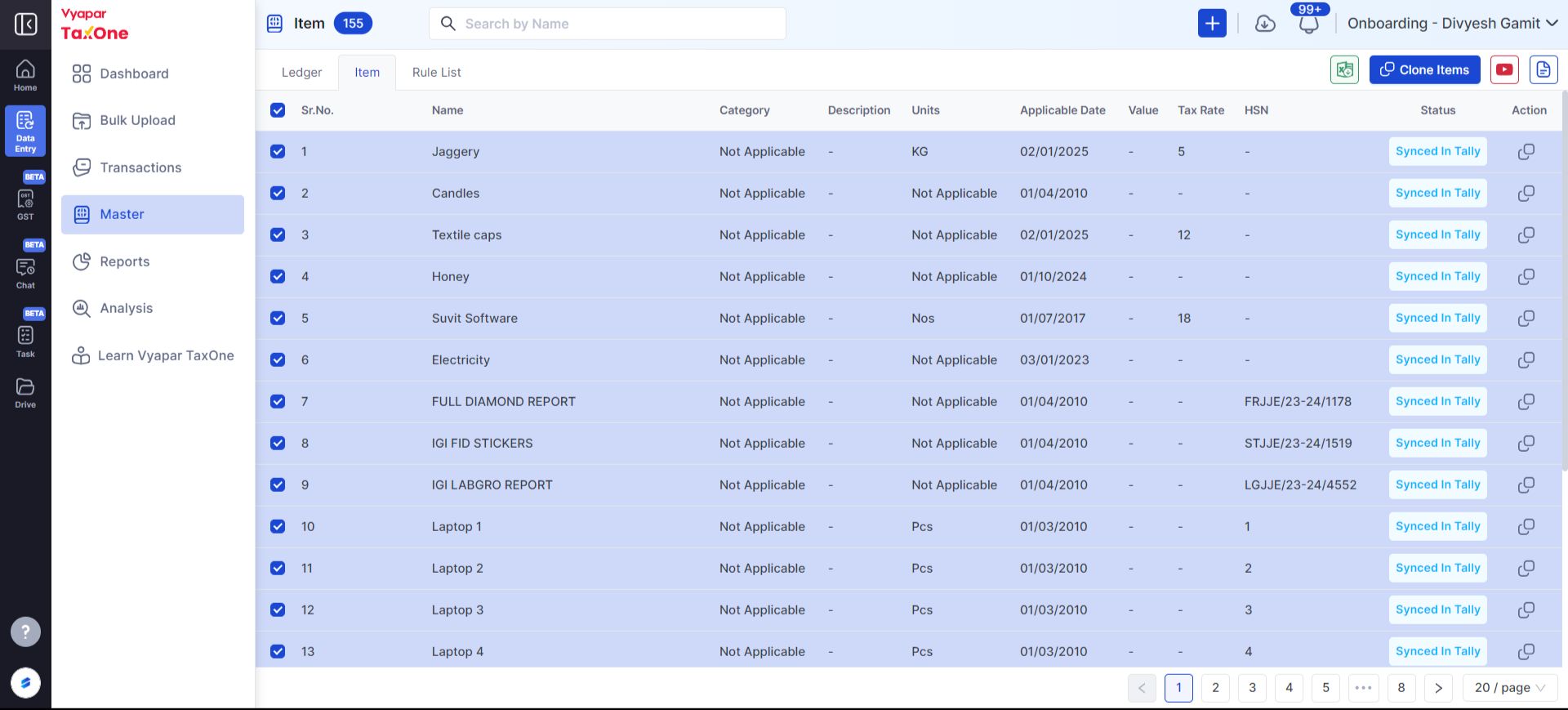
- 1→ Go to the Master Module.
- 1 → Go to the Master Module
- 2 → Select Ledger from the available options.
- 3 → Choose the ledger you want to clone.
- 4 → Click on the Clone Ledgers option.
Step 2 - Select Company to Copy
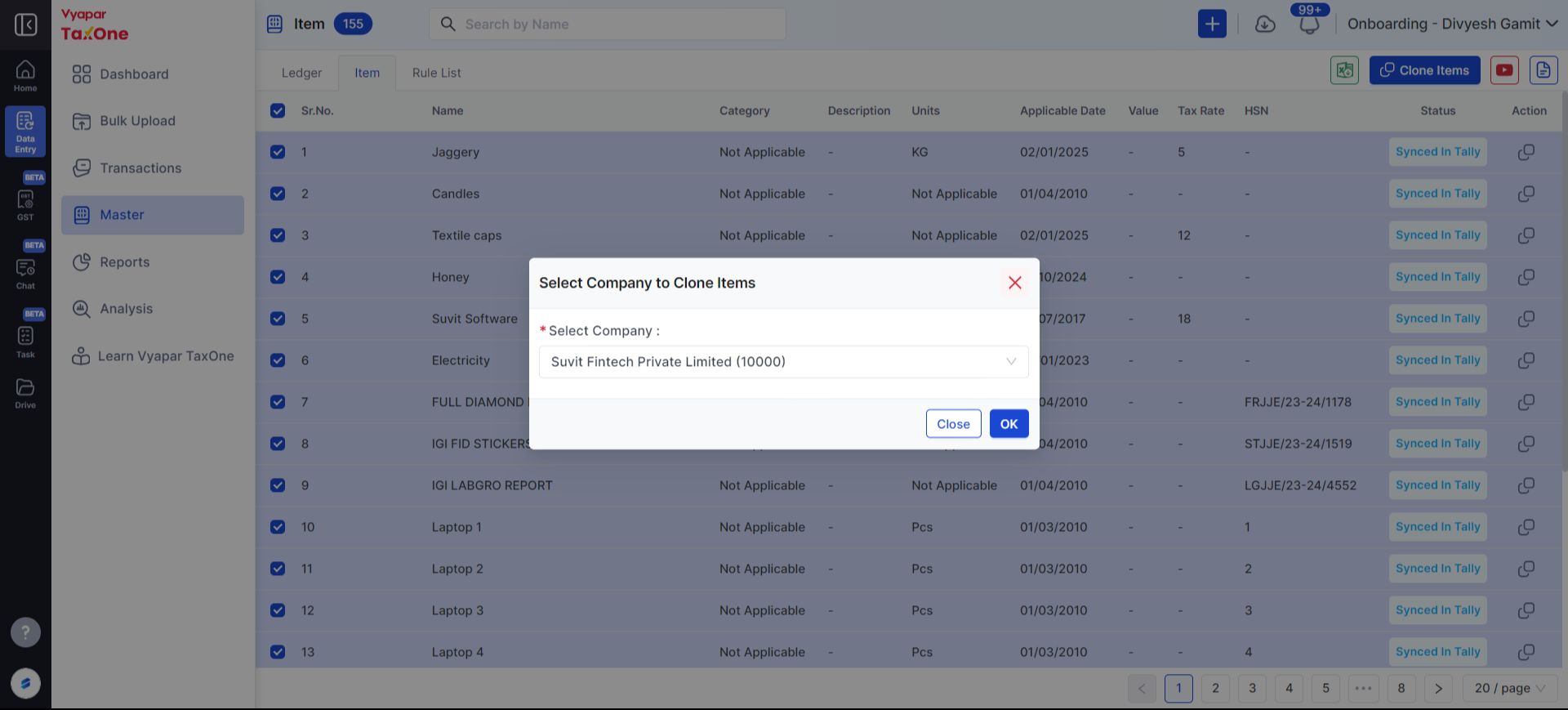
- 5 → Select Company
- 6 → Click on the OK button to copy the Ledgers(Party Name).
Now, the Stock Item Master has been successfully copied in Vyapar TaxOne! 🚀
Whenever any single transaction has been sent to Tally from Vyapar TaxOne, the copied Party Name and Stock Item will also be created in Tally.
