Delete Transaction (entry) from Tally using Vyapar TaxOne
Learn to delete transactions from Tally using Vyapar TaxOne. Only Vyapar TaxOne-synced data is removed, keeping other records safe and simplifying the deletion process.
Follow the Steps Below
- Navigate to Transaction Screen
- Open the file form which Transaction (entry) need to be deleted.
Step 1 - Select your entry
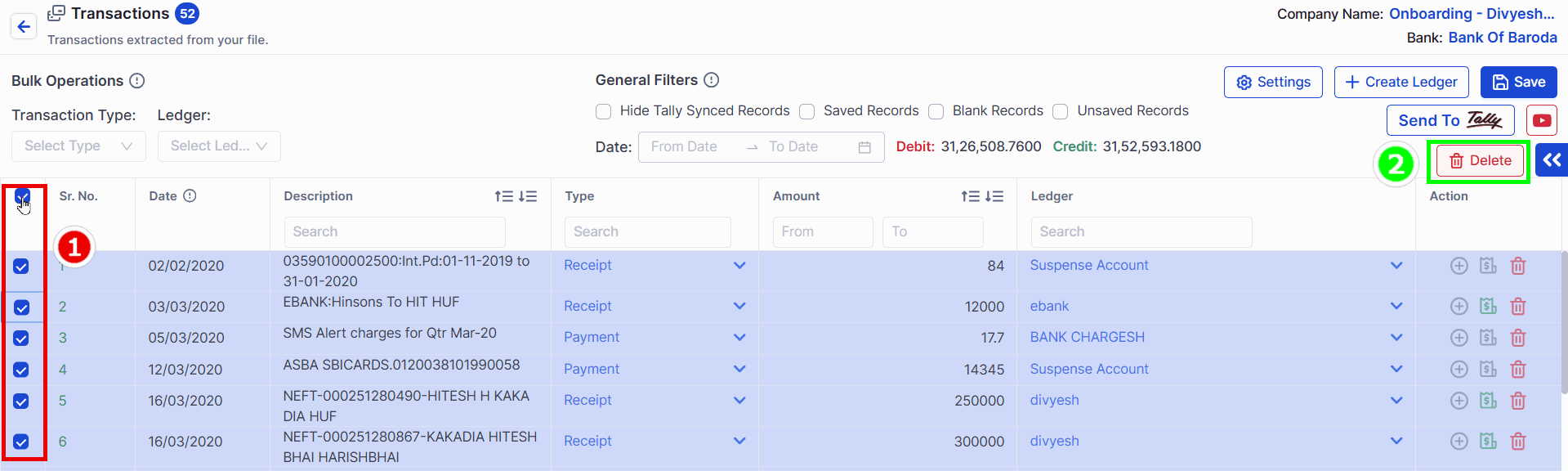
- 1 → Select your Transaction
- 2 → Click on Delete Button
Step 2 - Delete from Tally
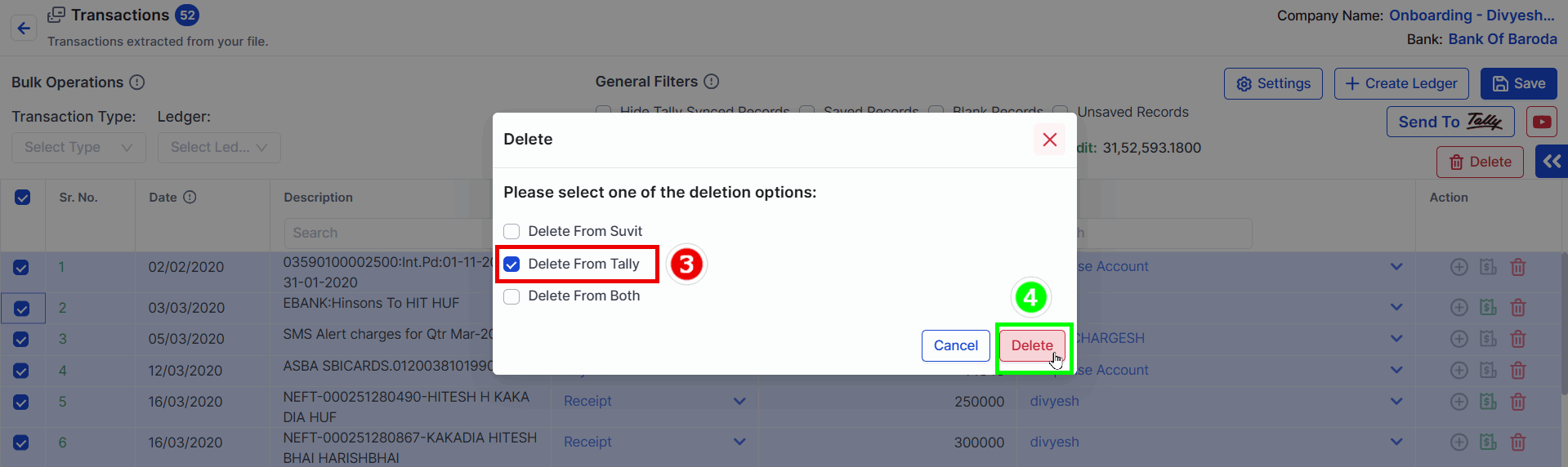
- 3 → Select Delete From Tally
- 4 → Click on Delete Button
Step 3 - Wait for the confirmation message
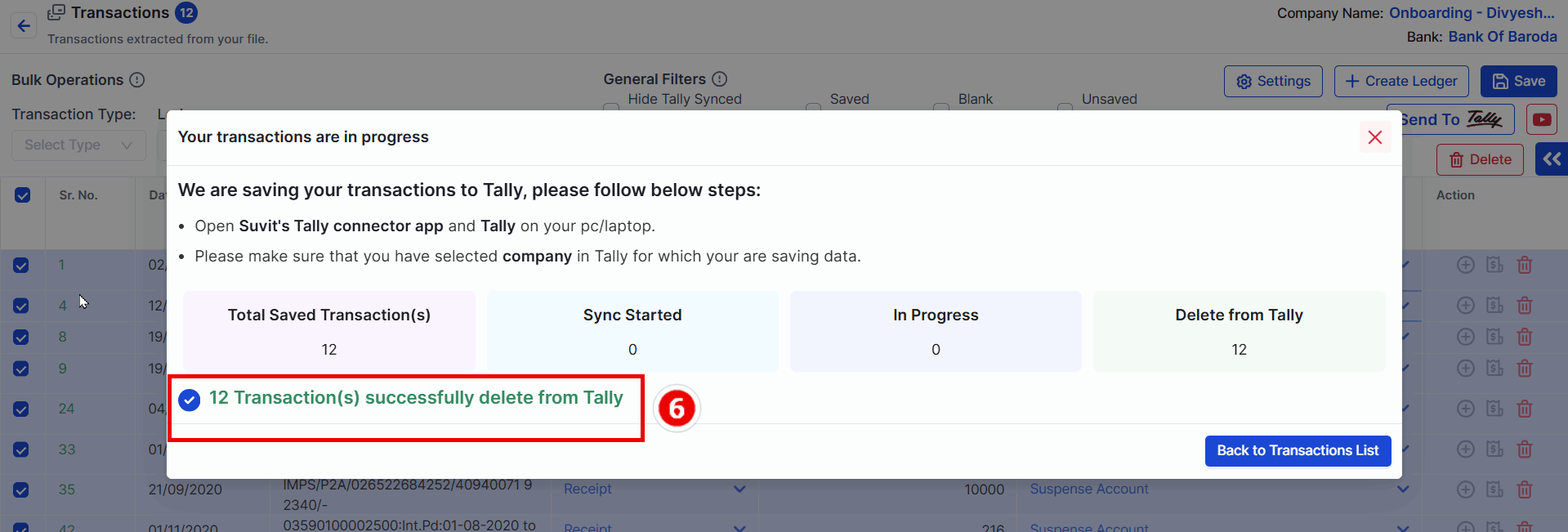
- 6 → After the message appears, the selected transactions have been successfully deleted from Tally.
Only the data sent from Vyapar TaxOne will be deleted from Tally. No other data will be affected.
