How to Enable and Enter Voucher Number in Vyapar TaxOne Banking Module
Learn to enable and enter Voucher Numbers in Vyapar TaxOne Banking. This guide covers settings and two easy methods to input voucher numbers efficiently.
As of now we are not fetching Voucher Number from the Bank statement (Pdf & Excel).
There are two methods to enter Voucher Number in vyapar taxone.
Make sure that Voucher numbering method of Payment, Receipt & Contra is Manual. How to check and setupClick Here
How to Enable Voucher Number in Banking Module
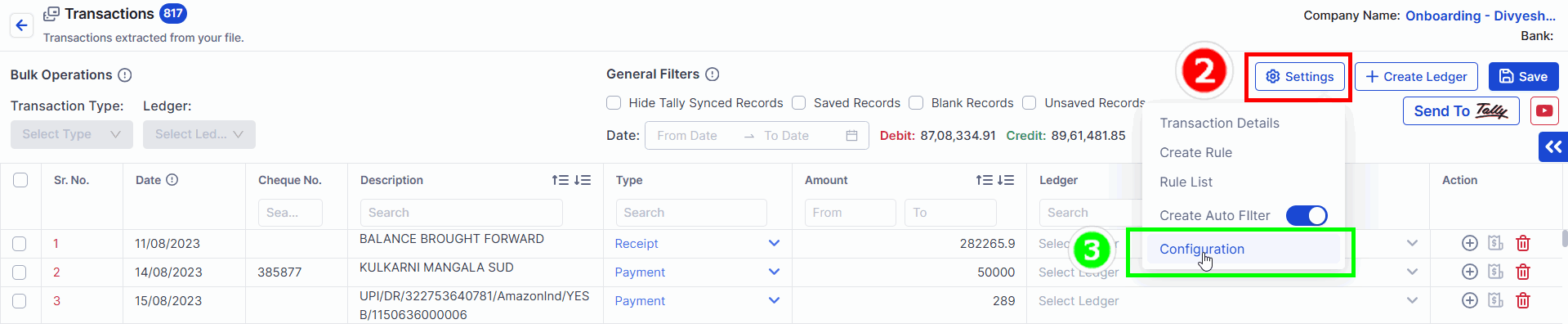
Step 1 - Open the Transaction Screen:
Step 2 - Go to Settings → Configurations:
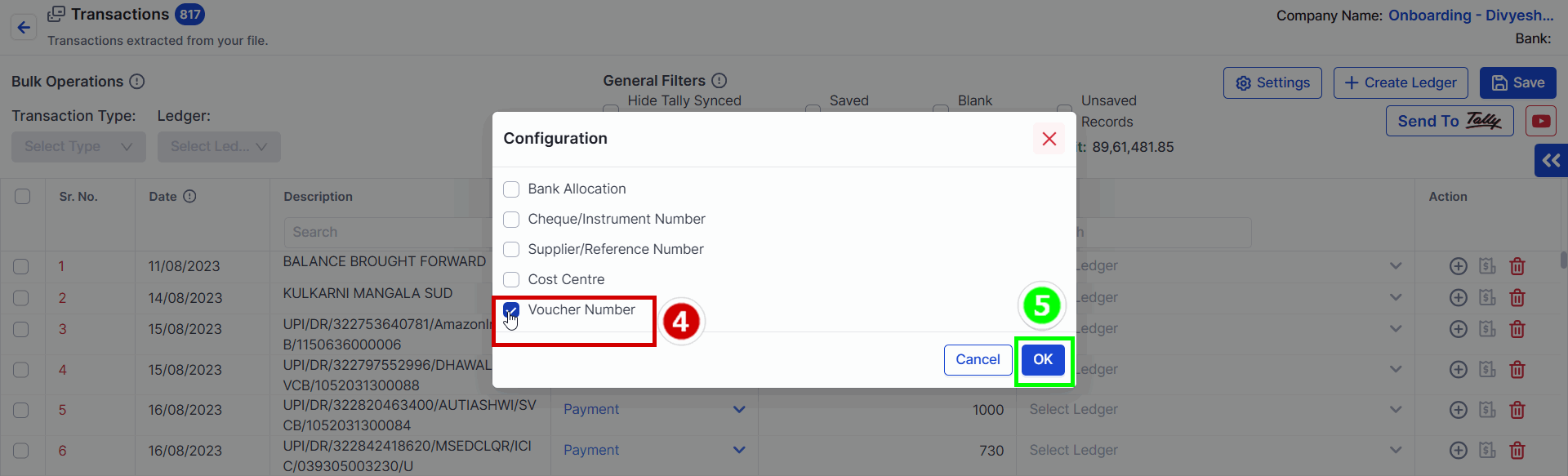
Step 3 - Enable Voucher Number:
Voucher Number
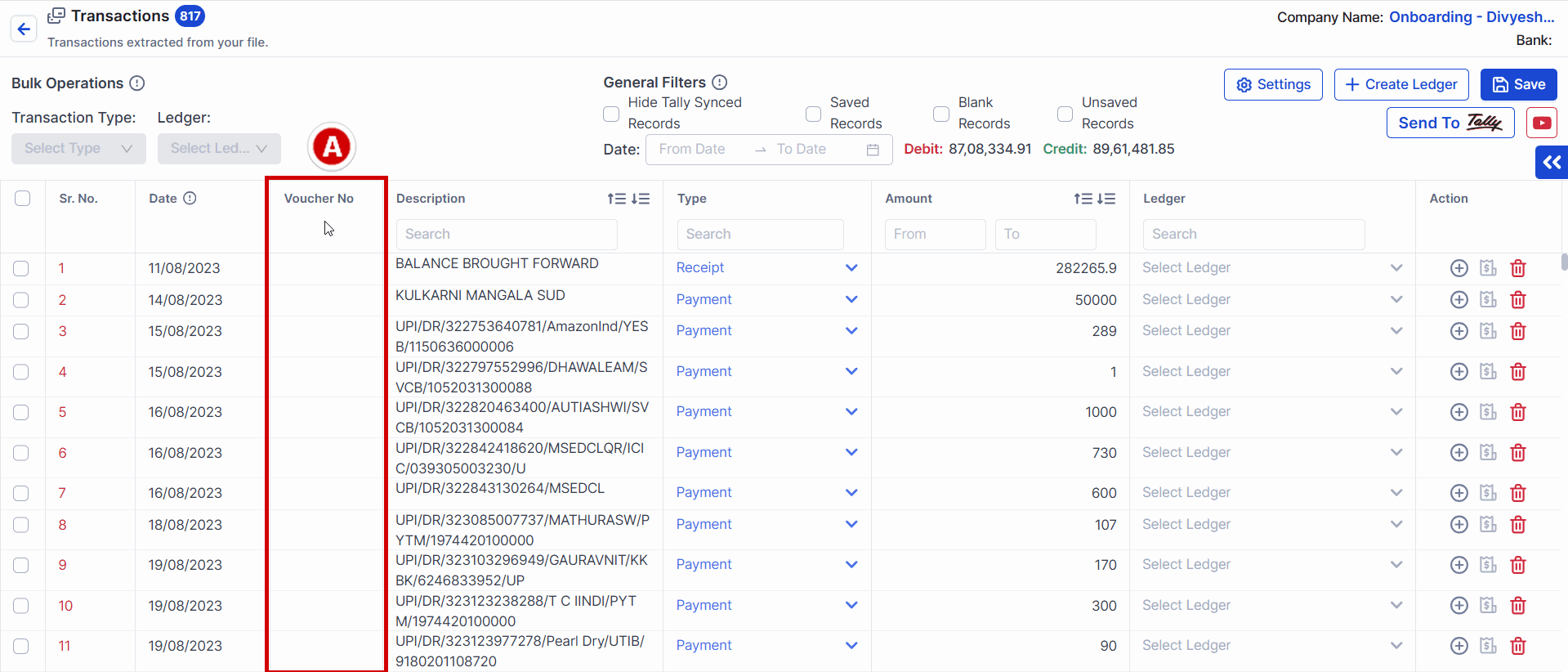
One row will be appear for Voucher Number as shown in below screen.
How to enter Voucher Number
Method A
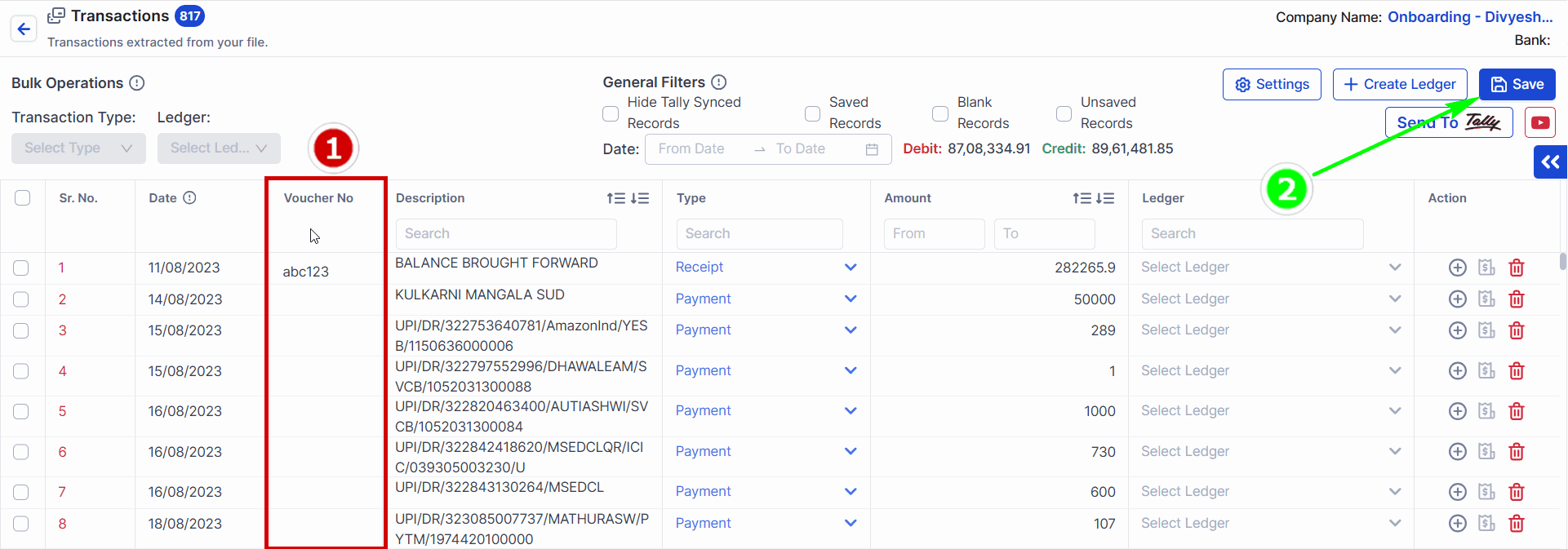
Click on the cell and enter Voucher Number Number one by one
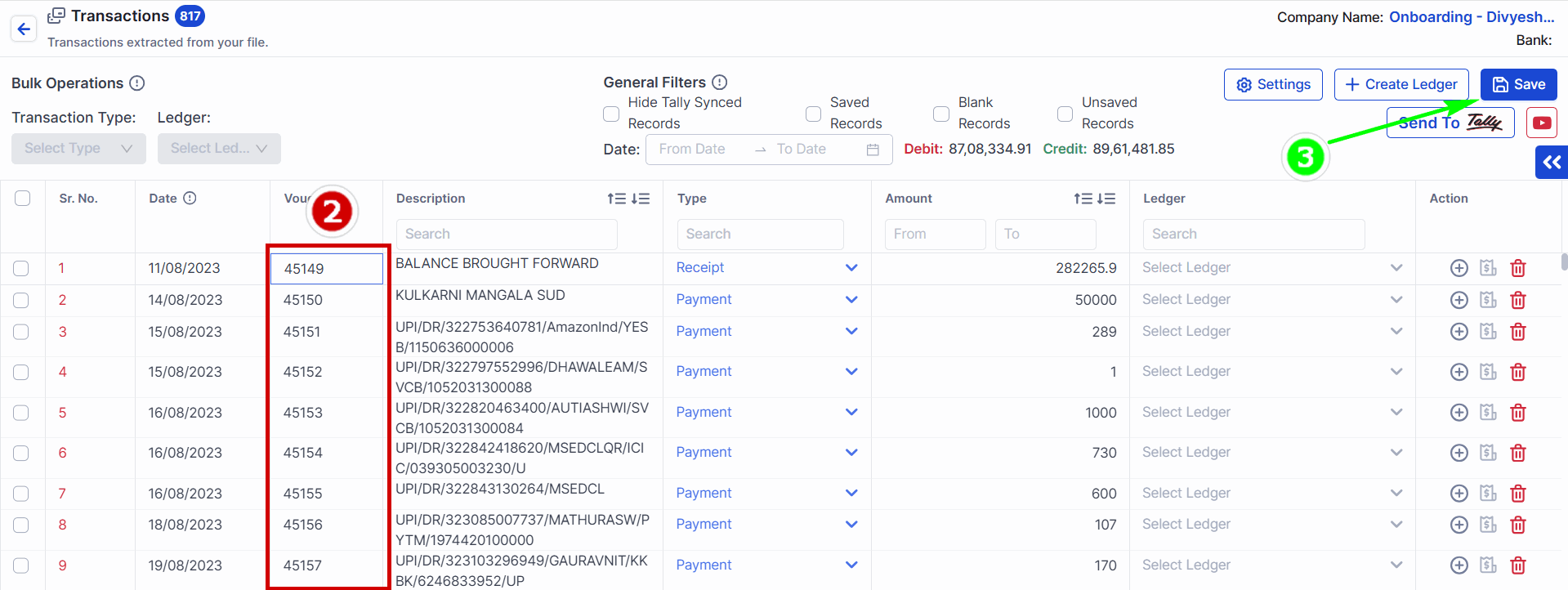
After entering the data SAVE it.
Method B
Make sure you have list of Voucher Number in excel sheet and copy the entire line.
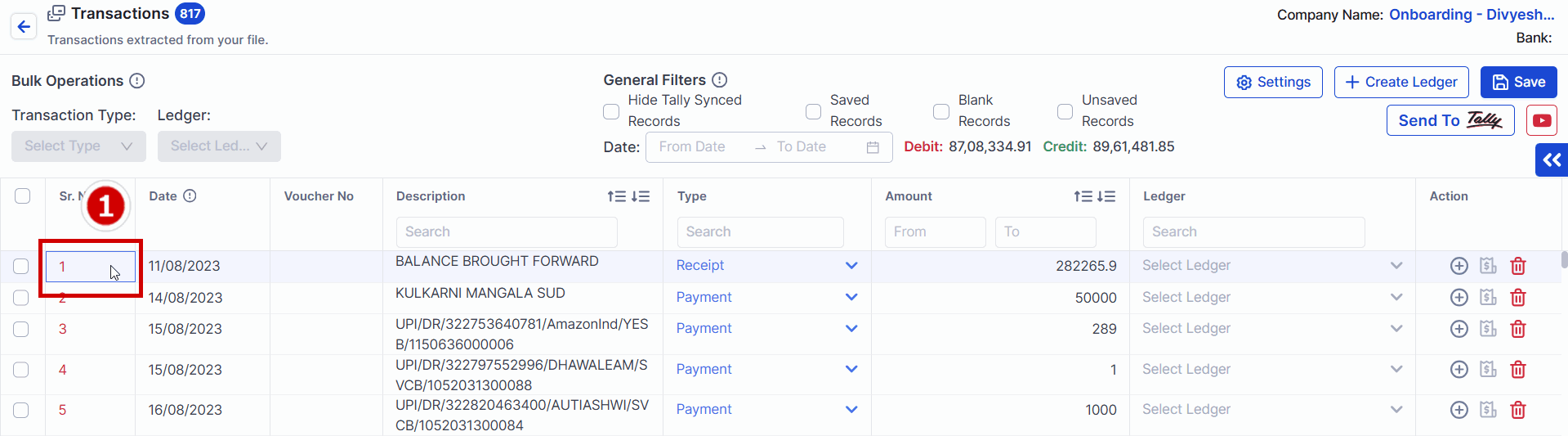
Click on 1 number below Sr. No.
Now use arrow key to move towards below Supplier No.