Unable to Detect Login
After clicking "Send Transaction to Tally", if no progress shows, the app may have timed out. Quit it from Task Manager and reopen to continue smoothly.
Entries Not Transferring to Tally – "Unable to Detect Login"
Step 1: Identify the Error
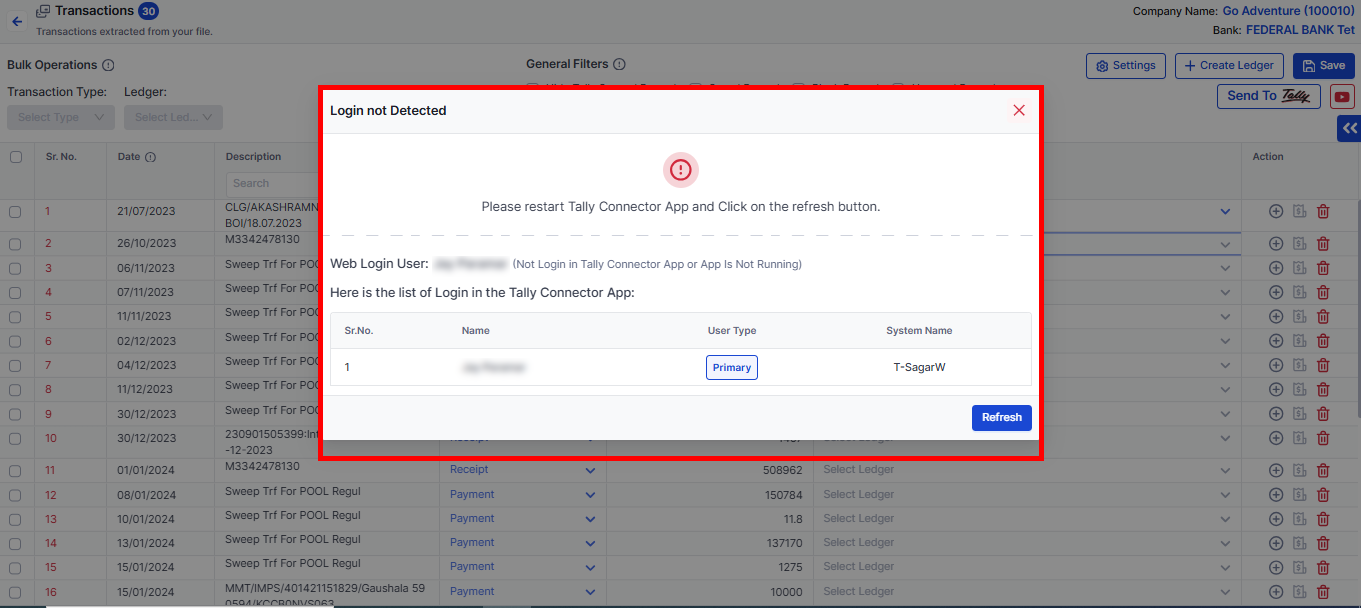
If you see this error, follow the steps below.
Step 2: Close Vyapar TaxOne Tally Connector
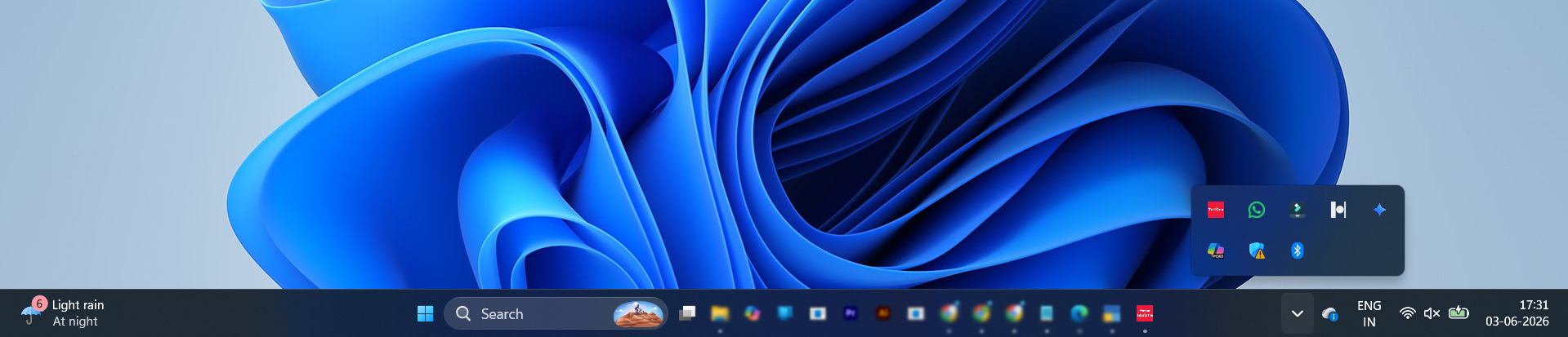
- Open System Tray → Right-click Vyapar TaxOne App → Quit.
- OR open Task Manager, select Vyapar TaxOne, and click End Task.
Step 3: Restart Vyapar TaxOne Tally Connector
Confirm that the login ID is the same in both the Vyapar TaxOne Web Browser and the Tally Connector Application.
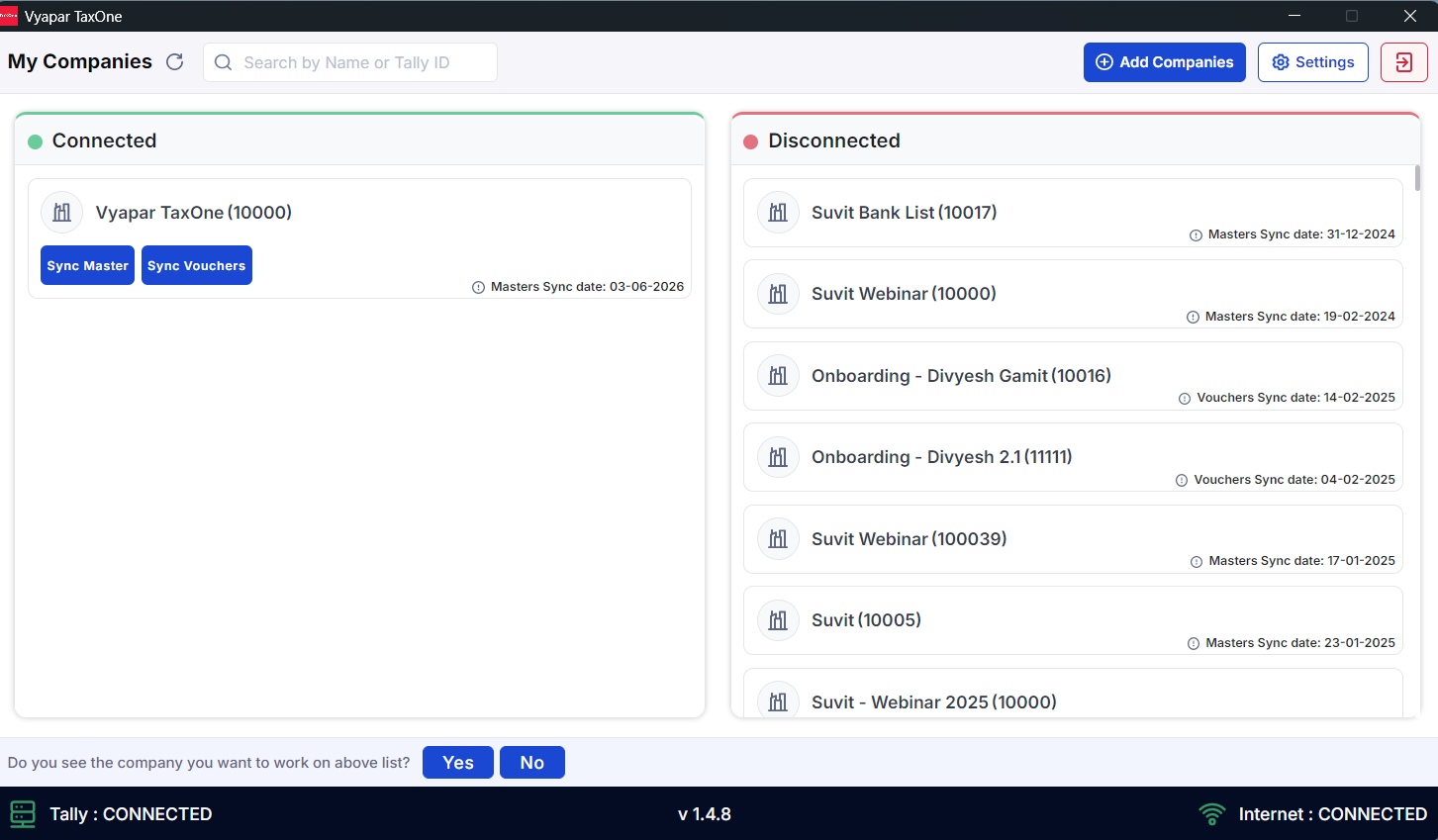
- Restart the Vyapar TaxOne Desktop Application and Click on Settings.
Step 4: Save Setting
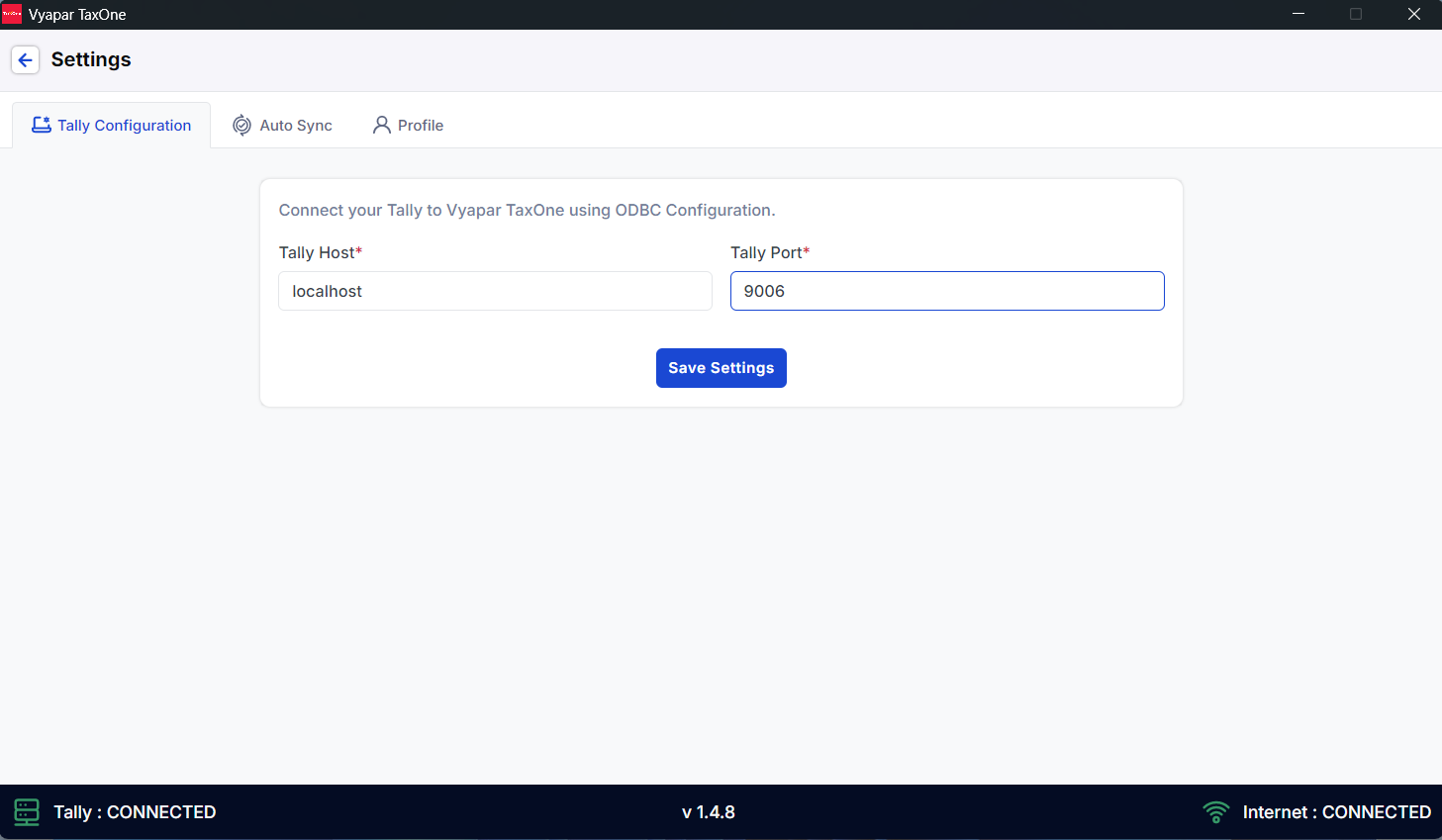
Step 5: Use the Refresh Option
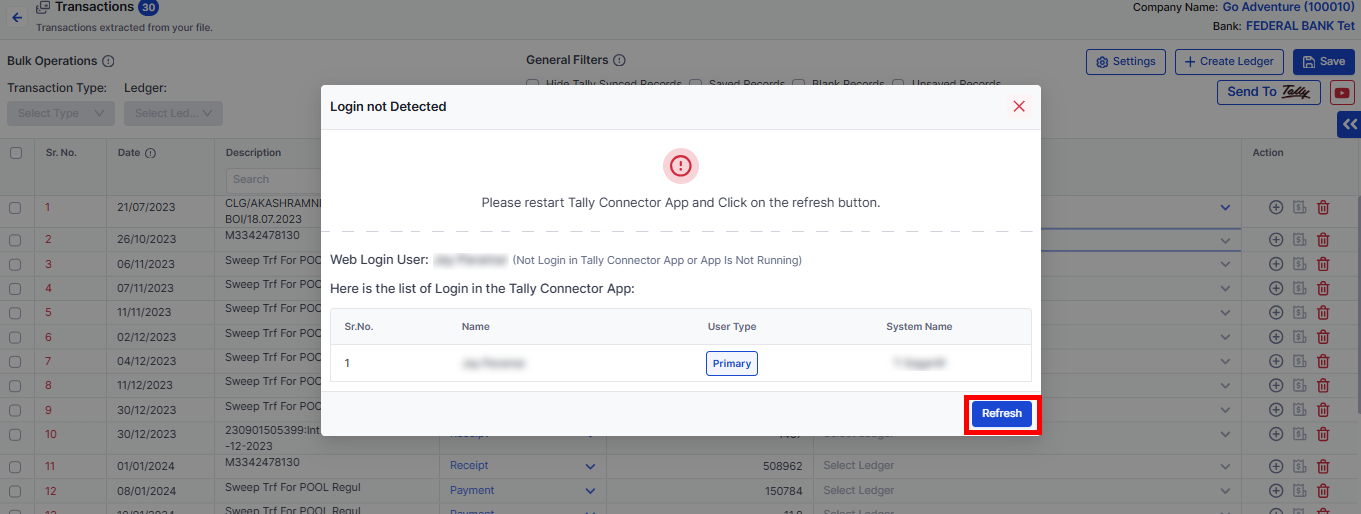
- If the issue persists, click the Refresh tab.
Step 6: Wait for Data to Process
- Allow 2 to 3 minutes for the process to resume and sync entries to Tally.
