Learn how to export your data from Vyapar TaxOne to Excel with ease. Follow step-by-step instructions to download and organize your records efficiently.
Here’s a step-by-step guide for exporting data:
Option 1: Export via Right-click on Transaction Screen
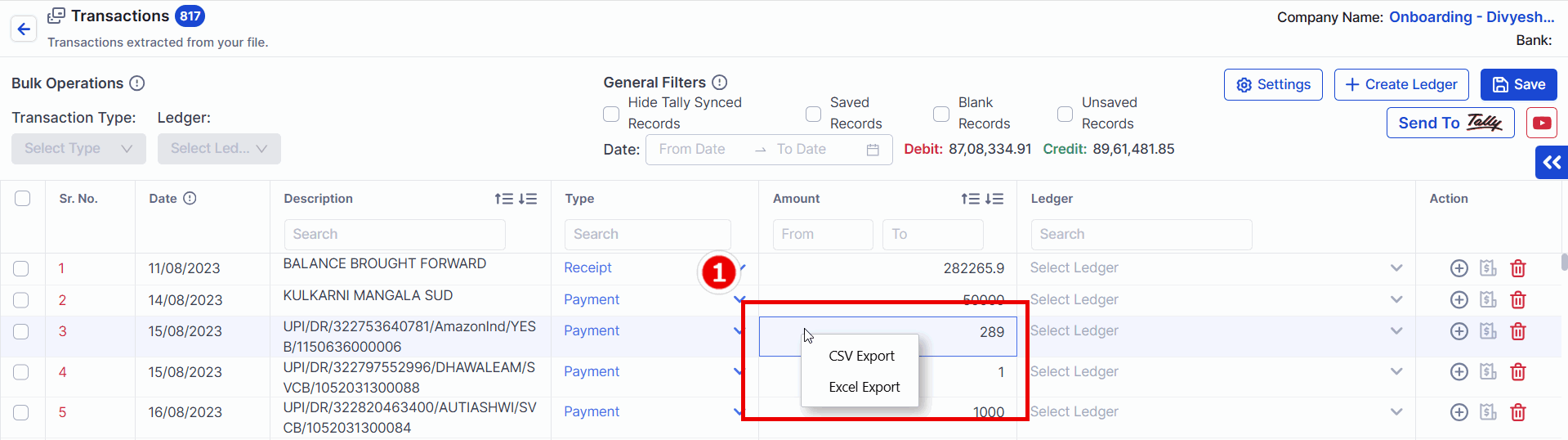
Right-click on the transaction screen.
Select format CSV or Excel to "Download" the data.
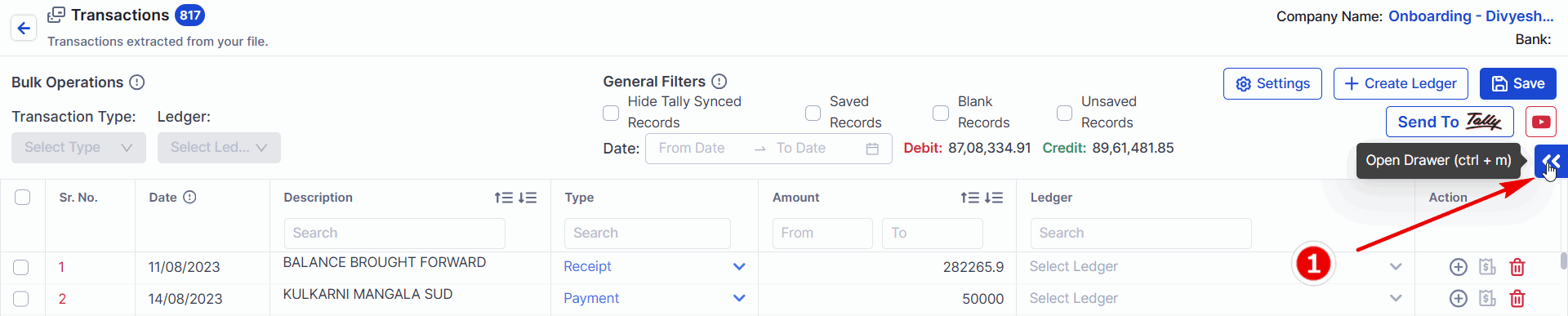
Option 2: Export via Drawer
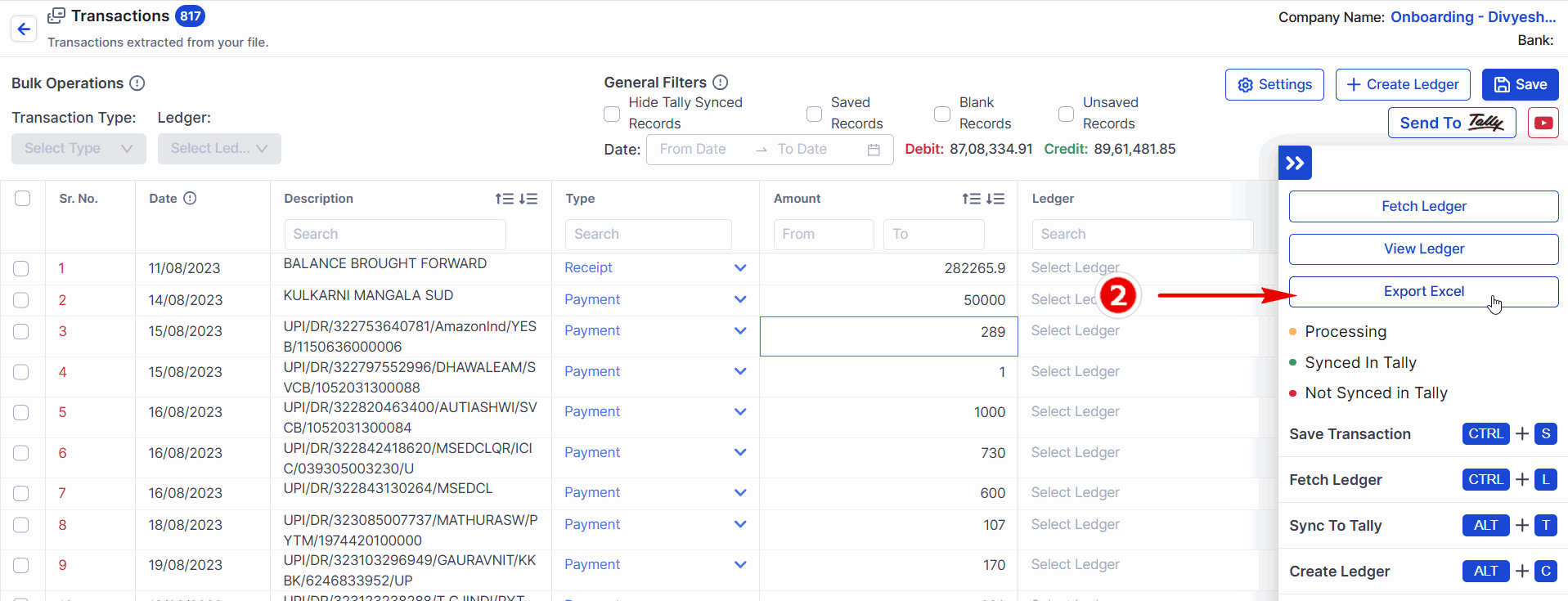
Open the drawer. Short-cut key -> CTRL + m
Click on Excel Export to download the data in Excel format.