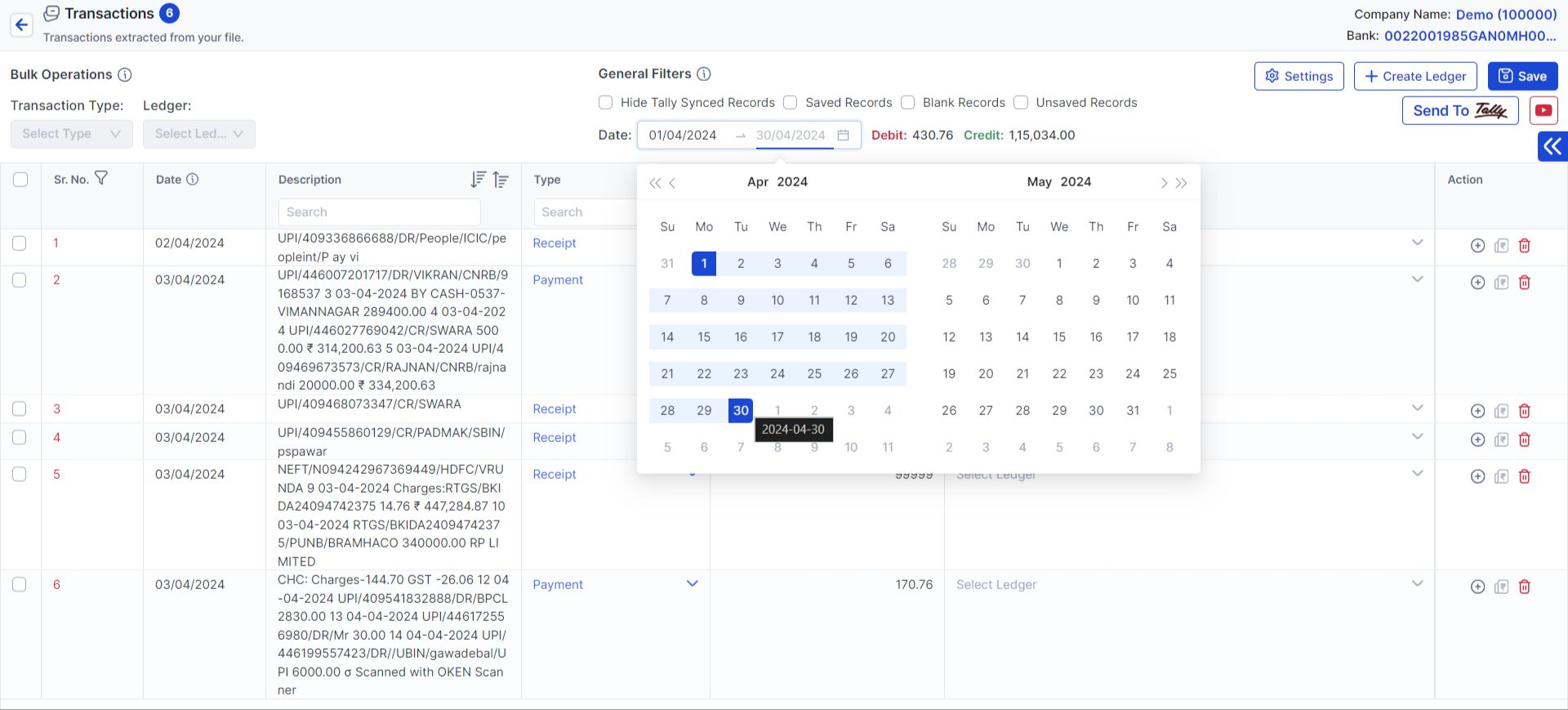
How to work in particular range of data in banking?

Some time some entries are already done in tally with the help of date filter you can filter those transaction.


Steps to Work with Banking Transactions in Vyapar TaxOne

Here are the steps to filter and work with transactions in the Vyapar TaxOne platform:
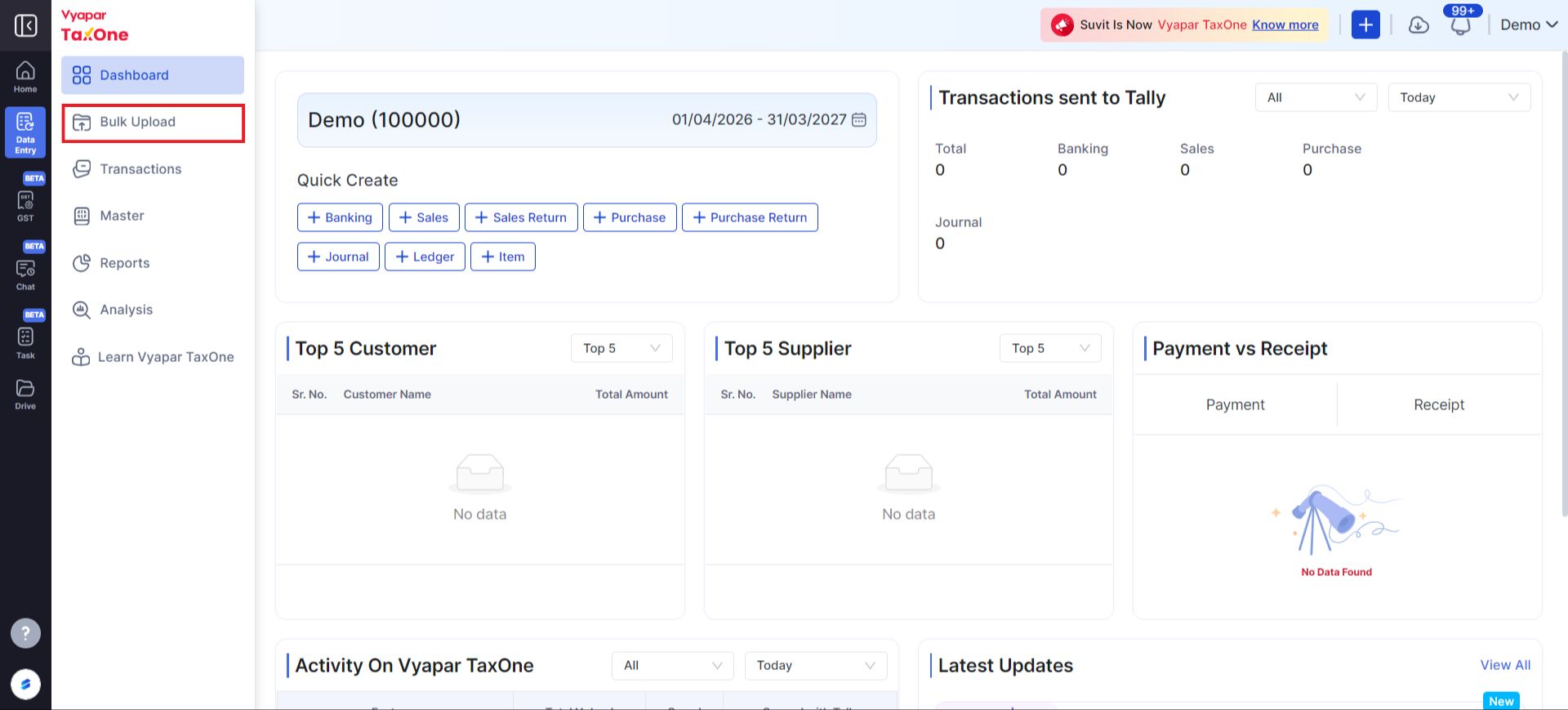
  1. Login to Vyapar TaxOne:
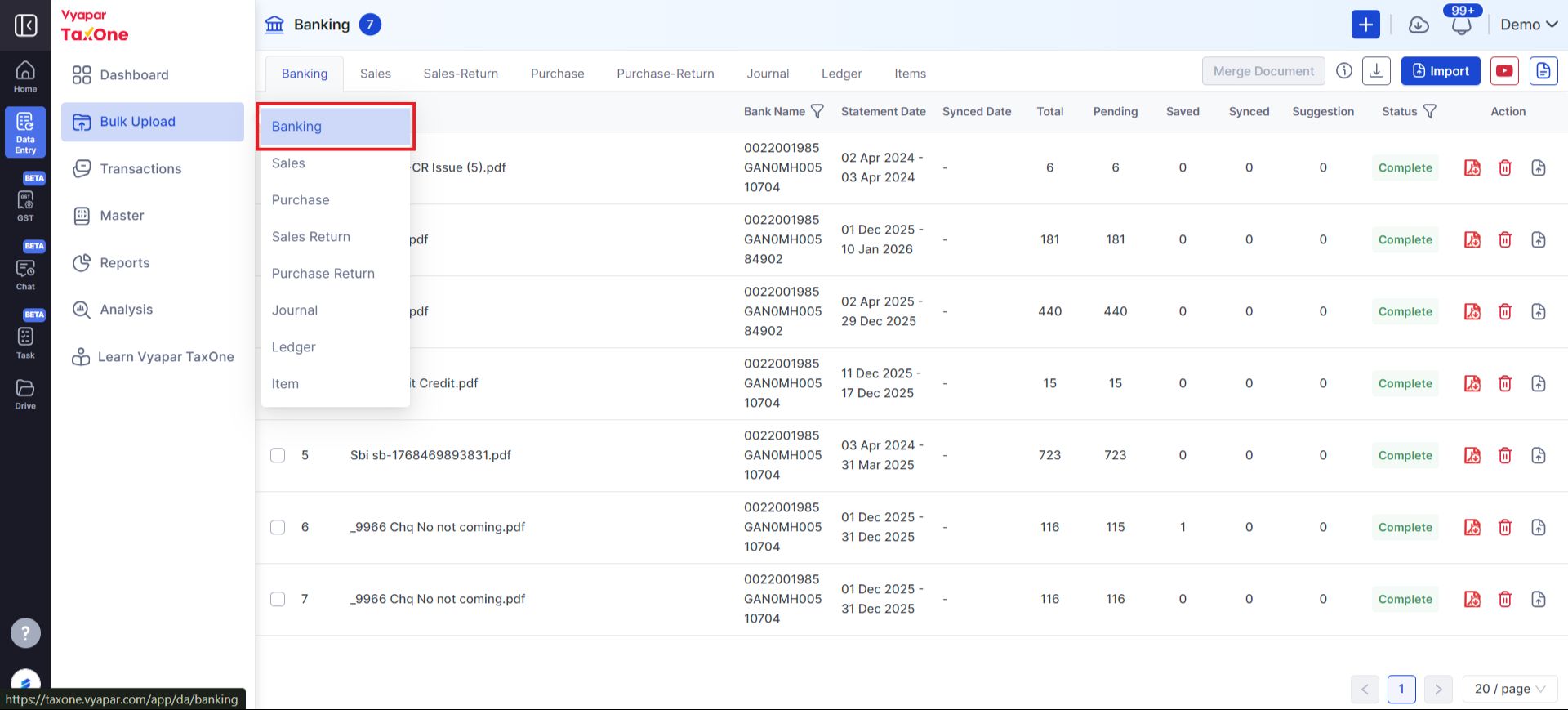
  • Navigate to the Data Entry Automation option and click Bulk Upload to proceed. Dashboard
  1. Access Banking Section:
  • Go to the Banking section. Banking
  1. Select the Statement:
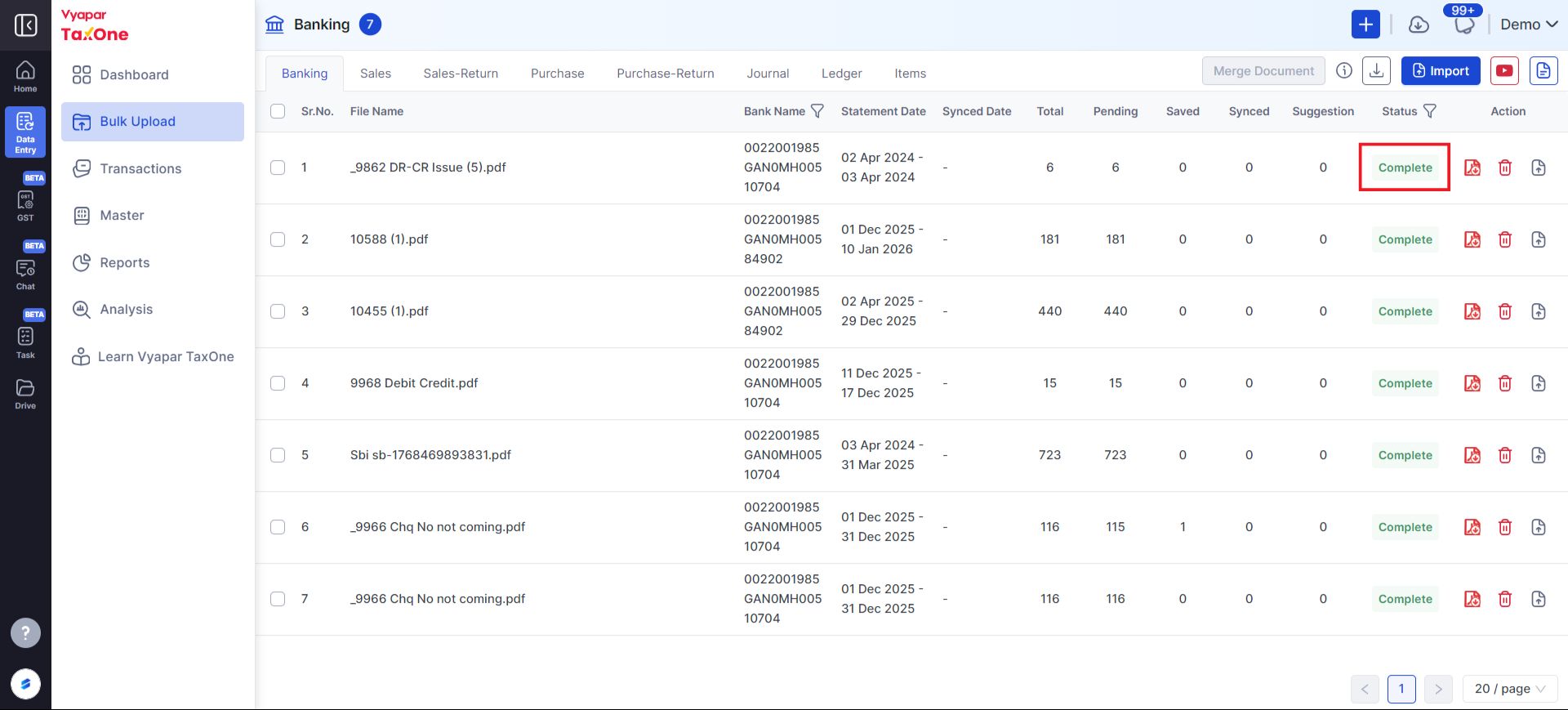
  • On the Banking page, click on Complete for the statement you want to work with. Complete
  1. Filter Transactions by Date:
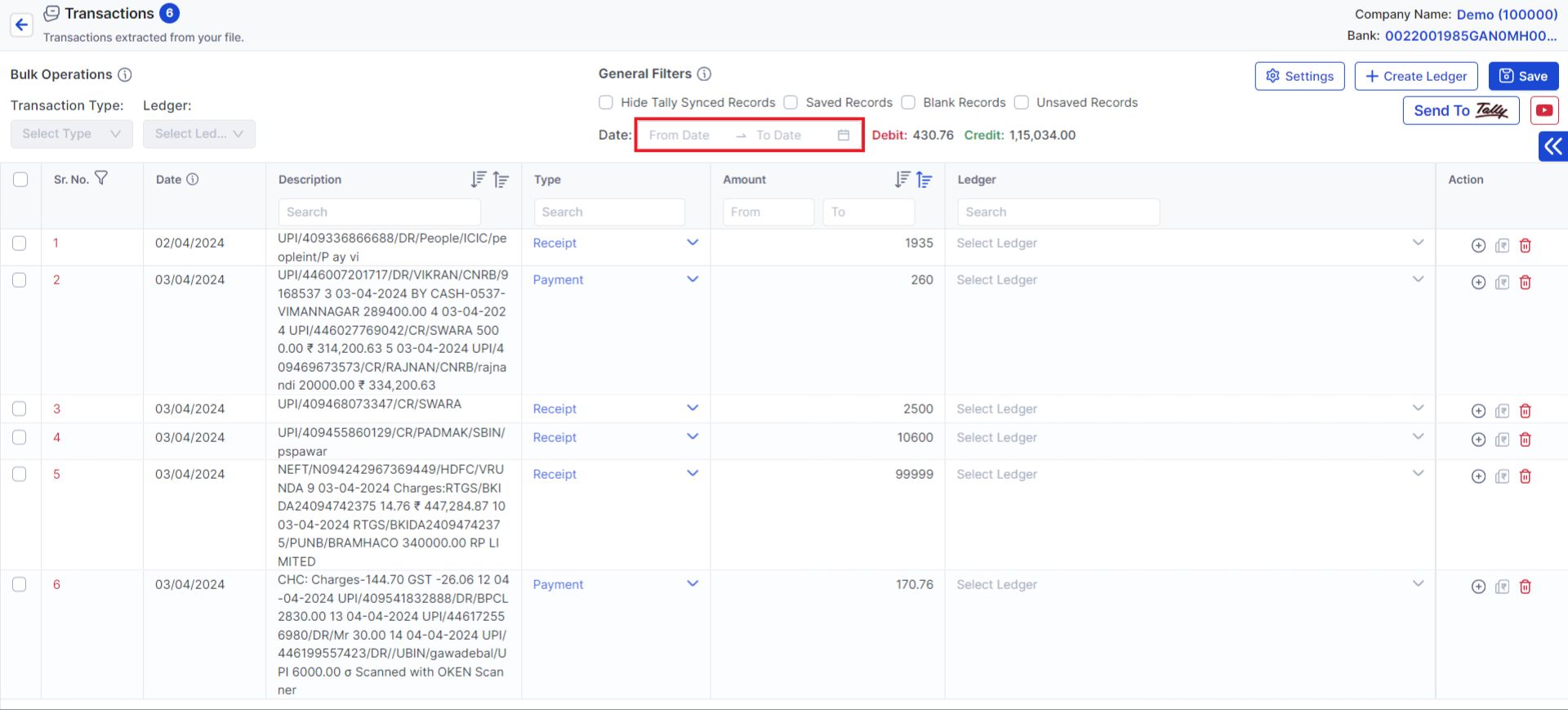
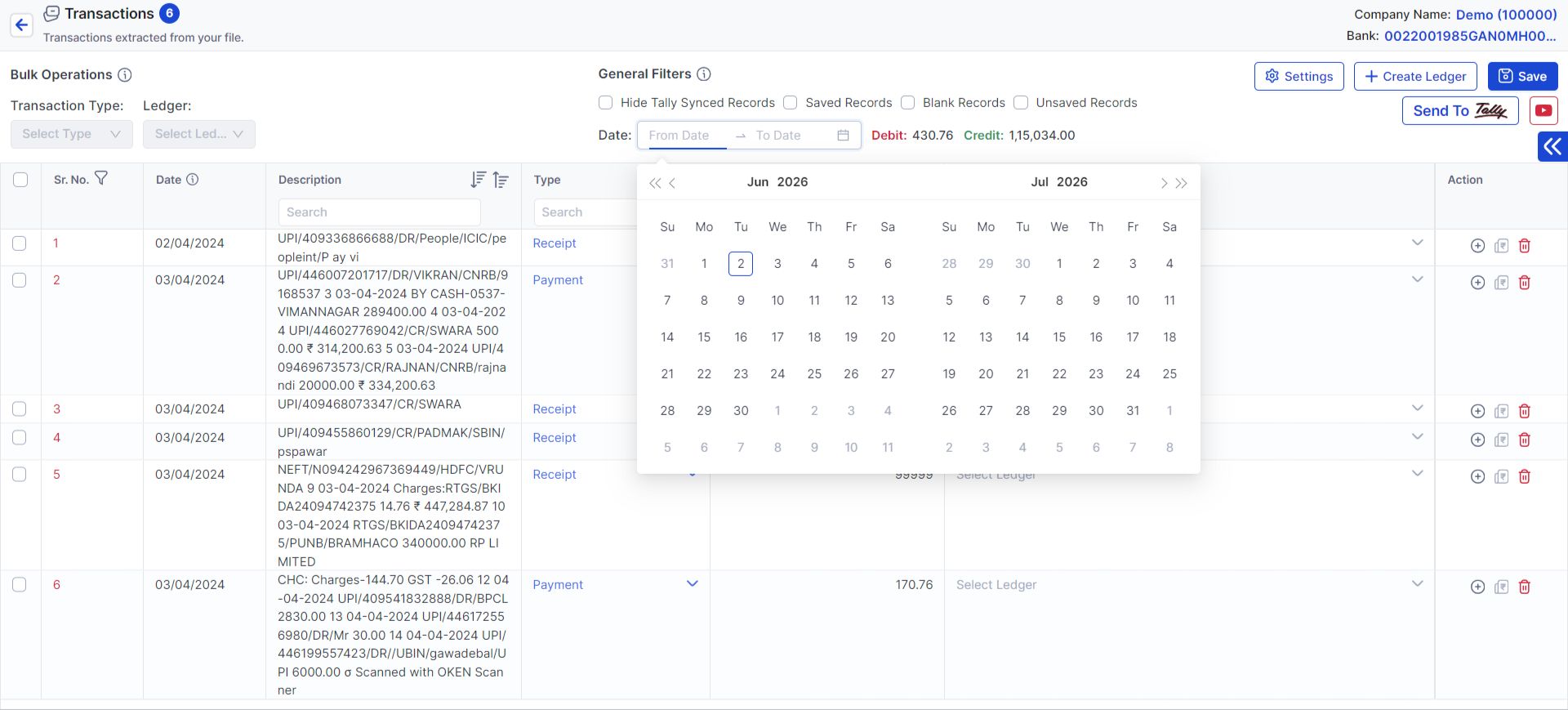
  • On the Bank Transaction page, use the General Filters option to select a specific Date Range. Date Filter Step 1 Date Filter Step 2 Date Filter Step 3
  1. View Filtered Transactions:
  • After selecting the desired date range, you'll see the filtered list of transactions that you can work on.

By following these steps, you can efficiently manage and filter your bank transactions in Vyapar TaxOne for further processing.