Login Not Detected

Facing “Login Not Detected” in Vyapar TaxOne? It may be due to internet issues, closed app, or mismatched logins. Follow this guide to troubleshoot and resolve it.
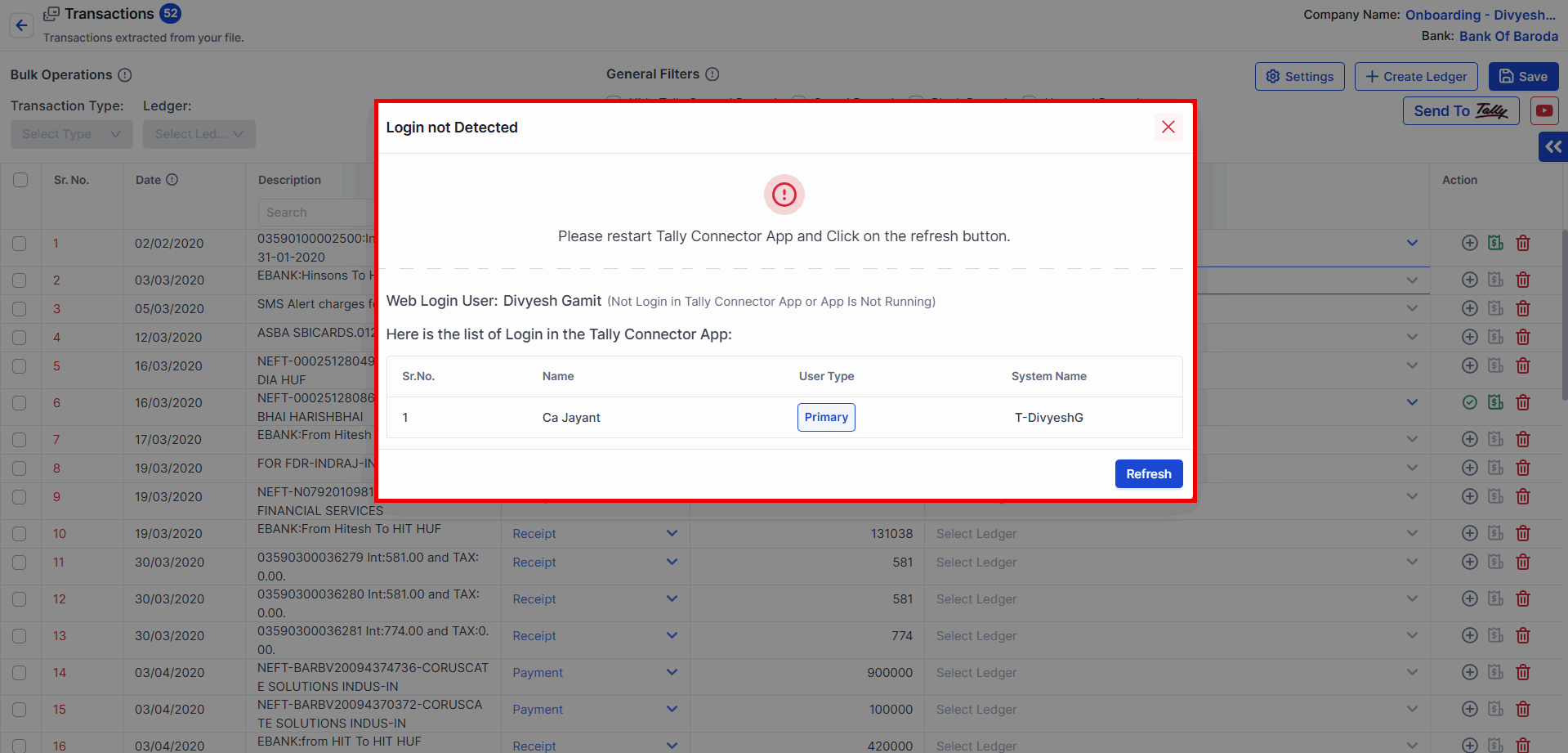
Login Not Detected

1.png


Reason 1: Internet Connection Might Be Interrupted

Solution 1:

  • Open System TrayQuit the application.

  • Right ClickQuit.
    2.png

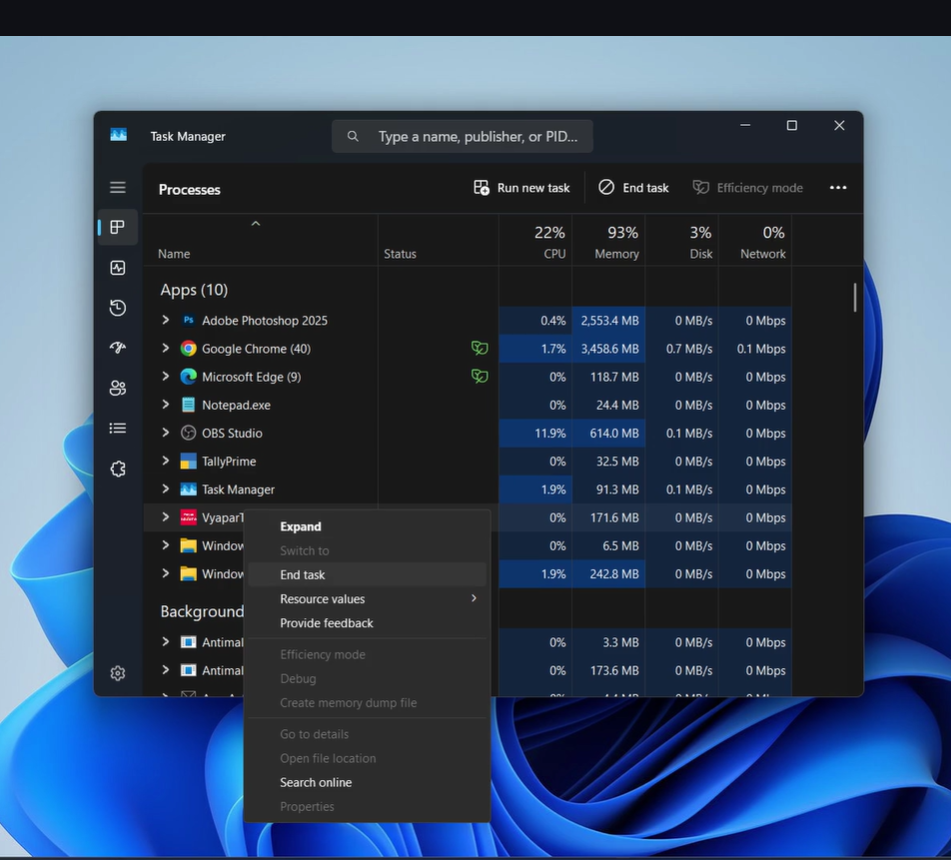
  • OR Open Task Manager.

  • Select Vyapar TaxOneEnd Task.
    3.png

  • Re-open the Vyapar TaxOne Desktop Application.


Reason 2: Different Login on Website and Vyapar TaxOne Desktop Application

Solution 2:

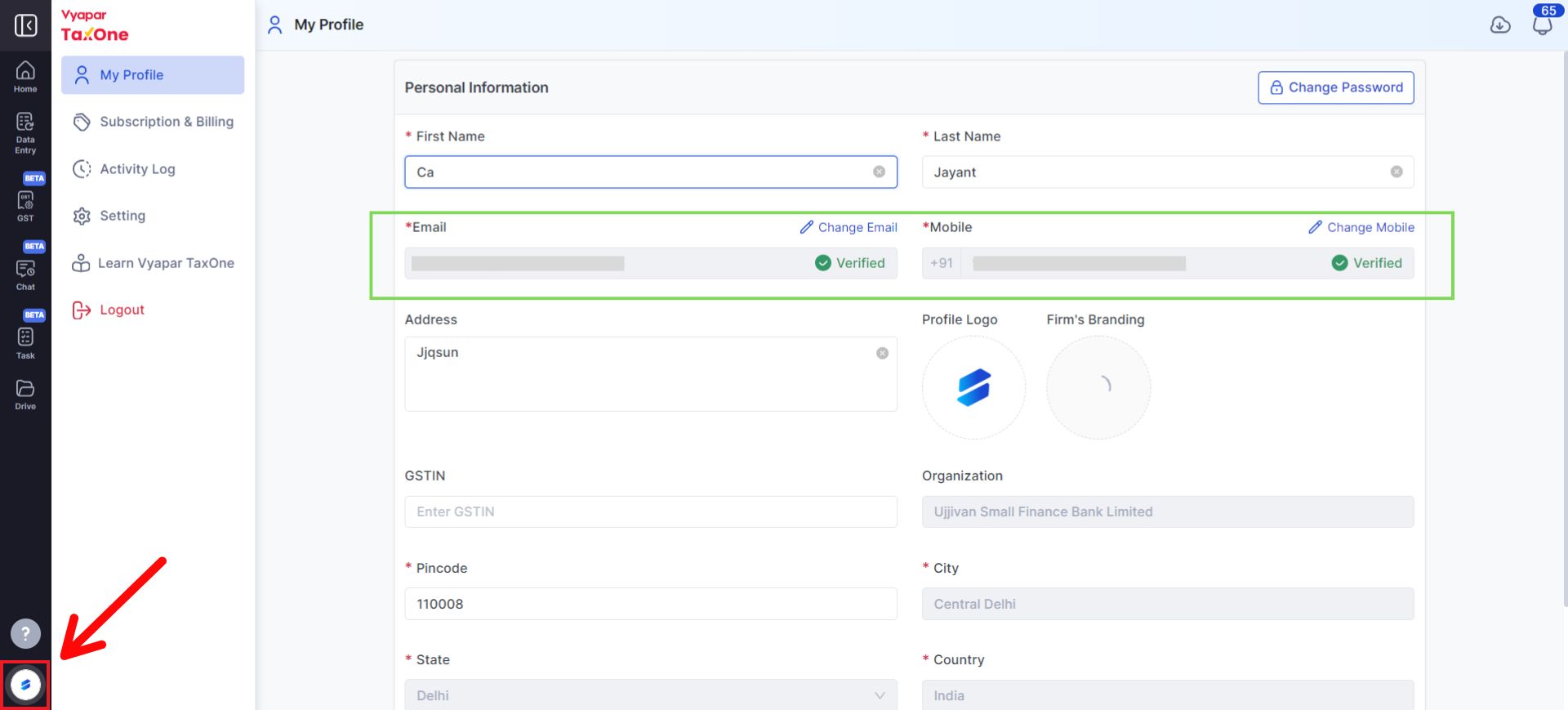
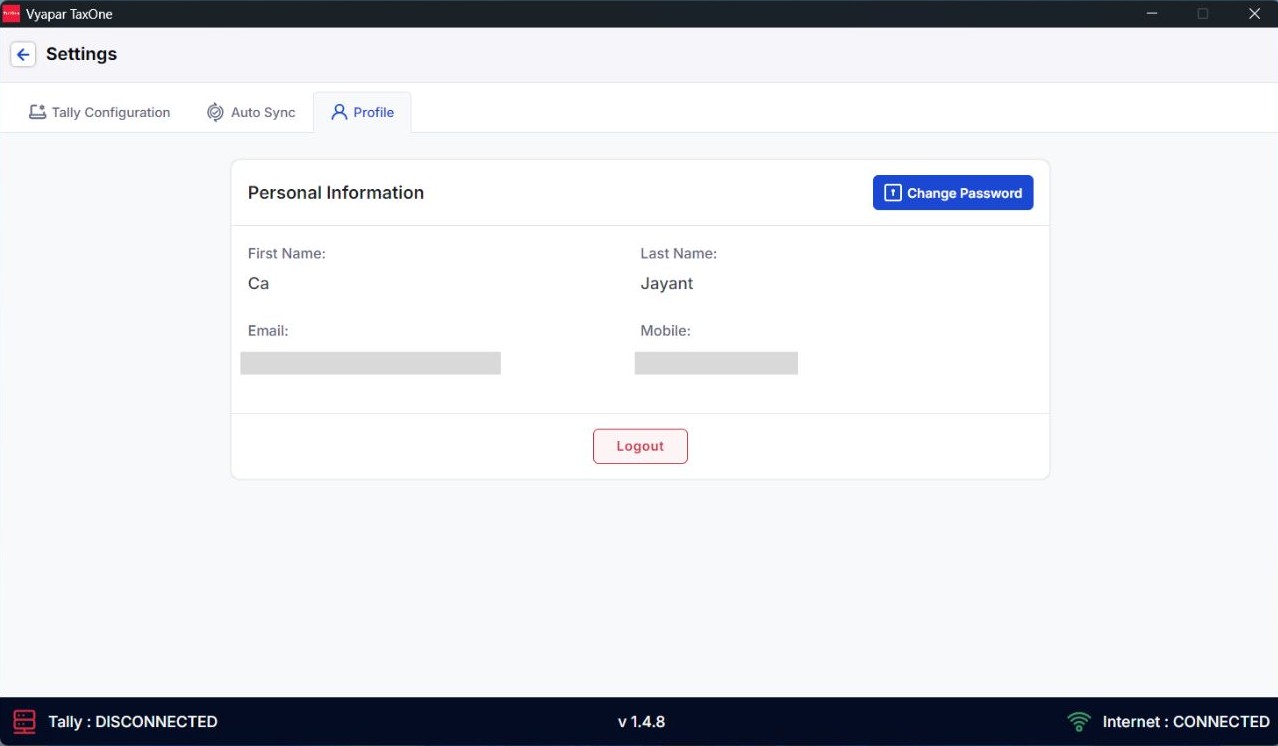
  1. Check Login Details on the Website and Application:

    • Website: Check details under Profile.
      4.png

    • Application: Go to SettingsProfile.
      5.png

  2. Login again with the correct Username and Password.


Reason 3: Vyapar TaxOne Desktop Application Is Not Open

Solution 3:

  • Simply Open the Vyapar TaxOne Desktop Application.

Reason 4: You Are Using Remote Desktop Connection

Solution 4:

  • a. Change the Tally port. Click here for Steps.
  • b. Change the port number in the Vyapar TaxOne Desktop Application. Click here for Steps.