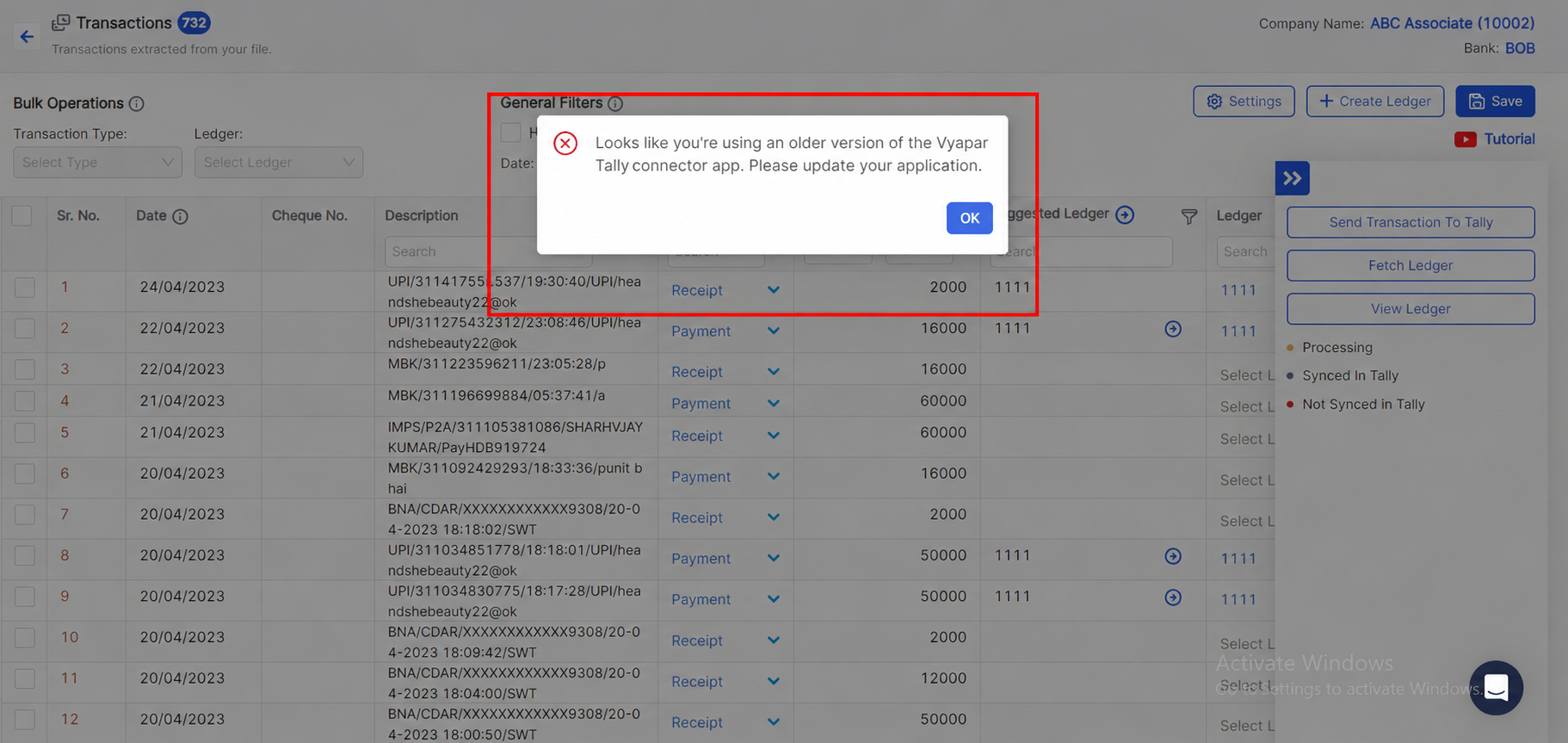
Looks like you're using an older version Vyapar TaxOne tally connector app

This error may occur if you're using an older Vyapar TaxOne desktop app. Update to the latest version and ensure the login ID matches in both web and desktop apps.

Mandatory check

  • If you encounter the same issue again, check that your login ID is the same for both the Vyapar TaxOne Tally connector and the web login.

Other steps if you face same error
Simple steps to solve the issue

1image..png

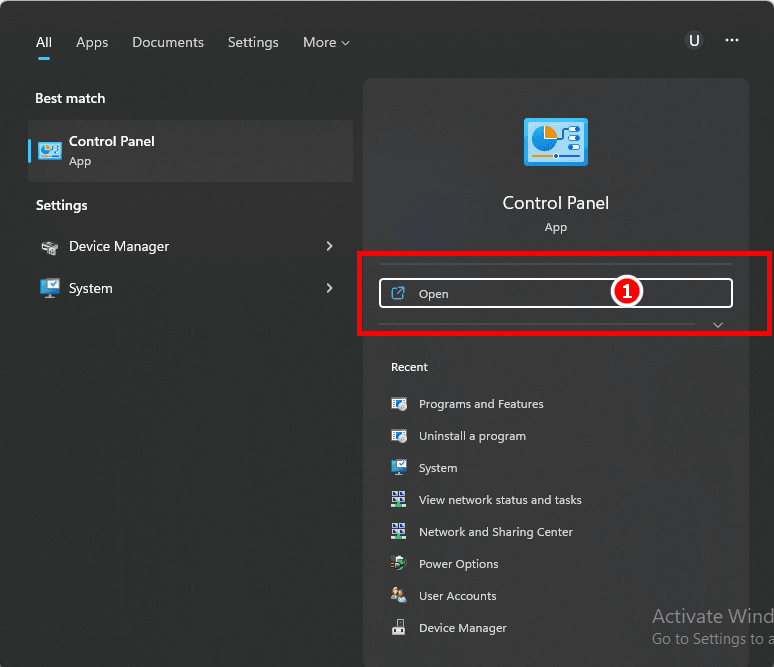
Step 1: Search for Control Panel in Windows

2;image.png

  • In the Windows search bar, type "Control Panel".

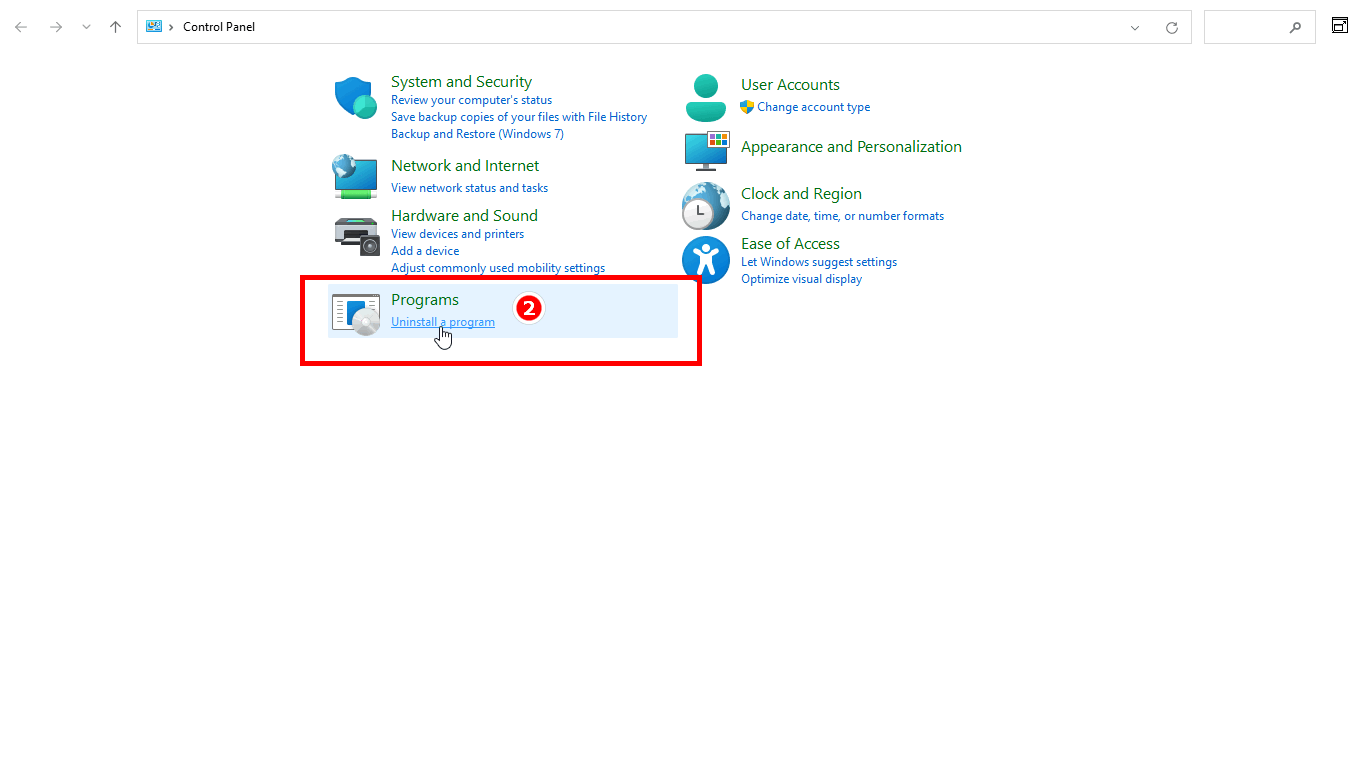
Step 2: Go to Programs & Features

3iimage.png

  • In Control Panel, locate and select Programs & Features.

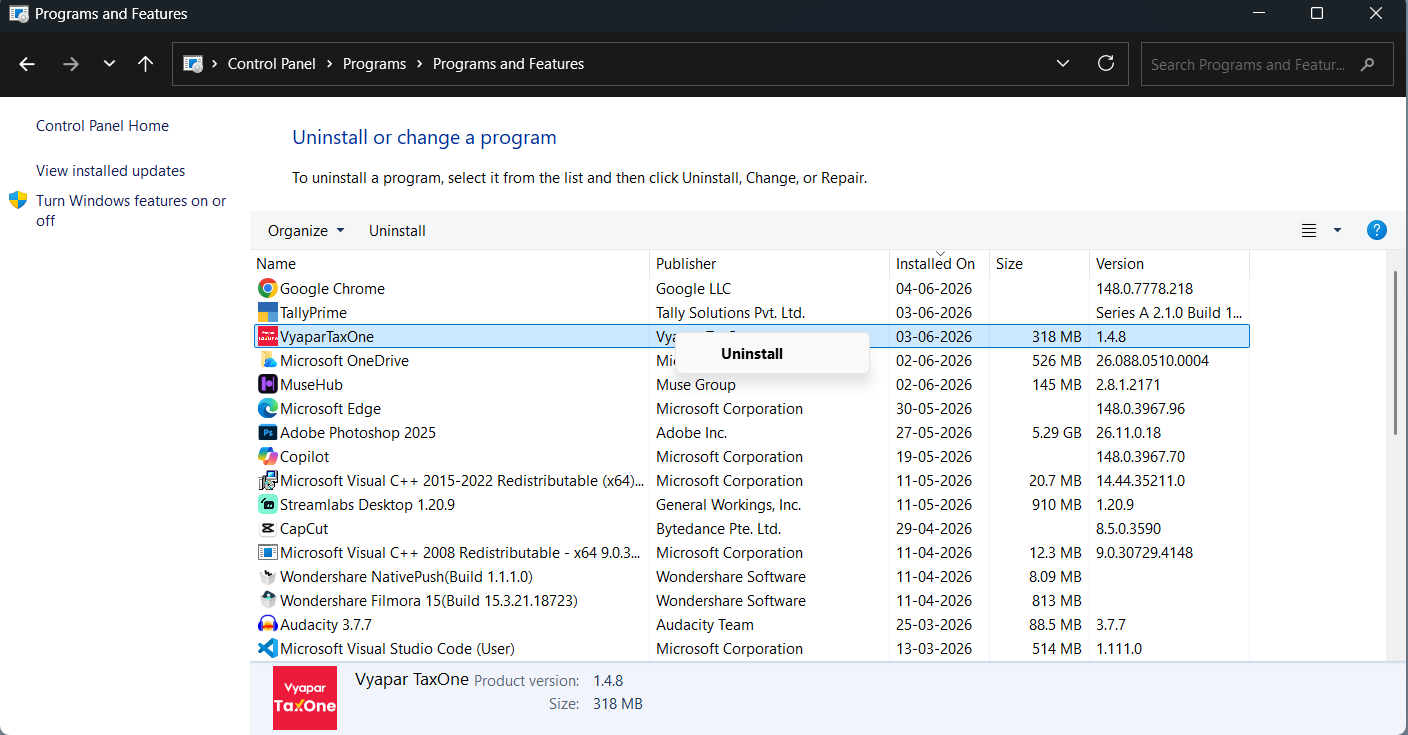
Step 3: Uninstall Vyapar TaxOne Application

4iimage.png

  • Find Vyapar TaxOne in the list, right-click on it, and click Uninstall.

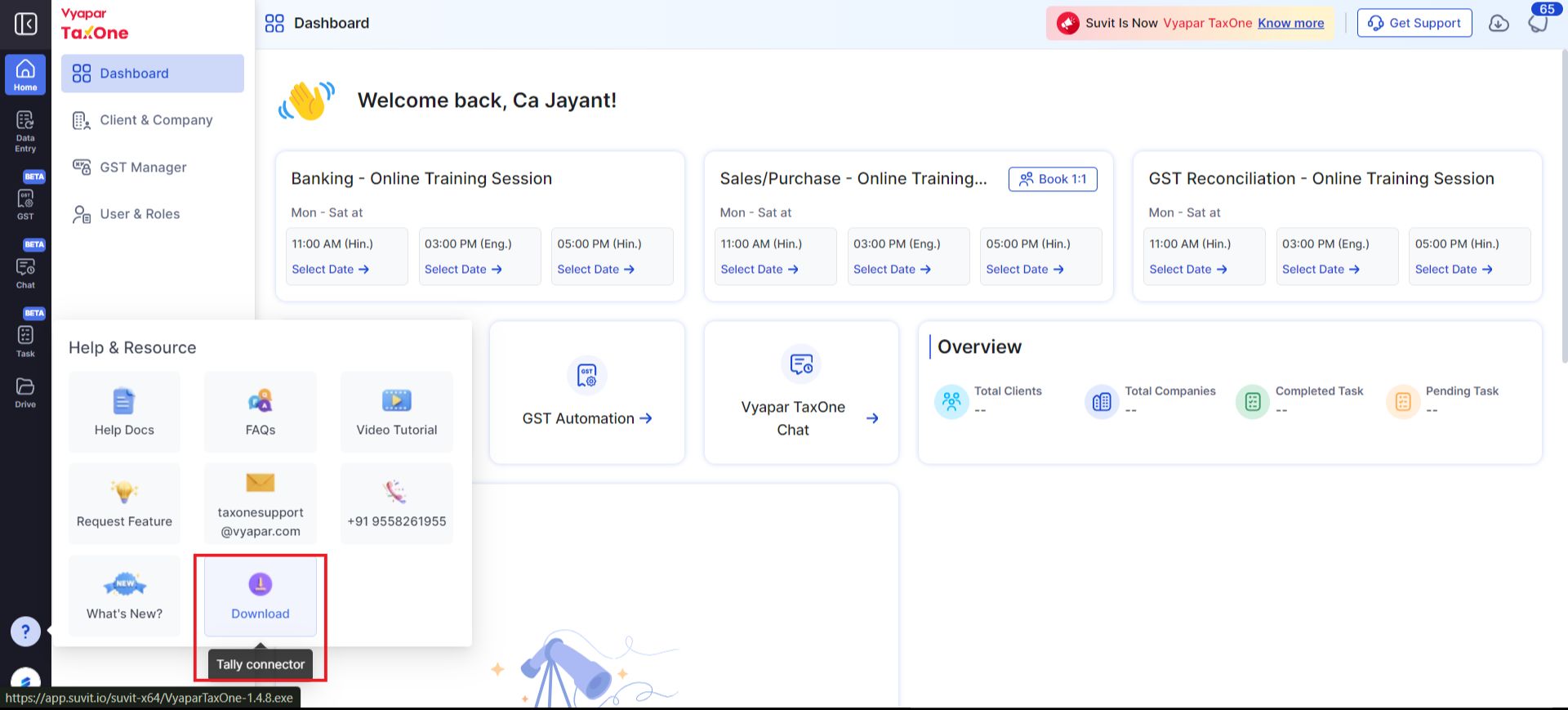
Step 4: Download the Latest Vyapar TaxOne Tally Connector

dash.png

  • Sign in into Vyapar TaxOne, navigate to the Help & Resource, and click "Downlaod" to downlaod latest Tally Connector App.

  • After downloading, double click on the application and sign in to the latest executable file and refresh the transaction page. Your issue should be resolved.

Note: "If you encounter the same issue again, click 'Sync Master' to resolve it instantly."

You may find this useful :

Install Vyapar TaxOne desktop (Tally connector) application. Learn more