How Many Decimal Points Does Vyapar TaxOne Support?

Vyapar TaxOne is designed to sync seamlessly with Tally. To ensure accurate data transfer and compatibility, Vyapar TaxOne adopts the decimal point settings configured in Tally.
Overview

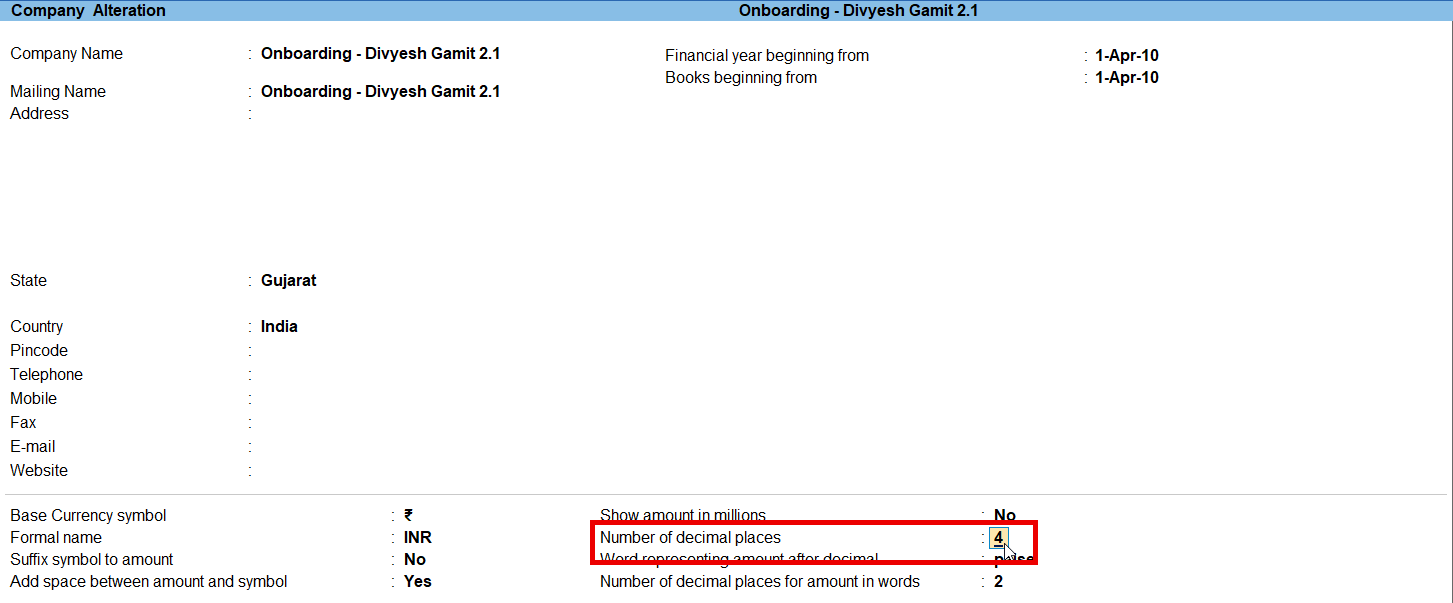
  • Vyapar TaxOne supports up to 4 decimal points. However, the number of decimal points used depends on the Tally settings.
  • For example, if Tally is set to 3 decimal points, Vyapar TaxOne will also follow the same.

You can change the necessary settings in Tally Prime

Step 1

1.png

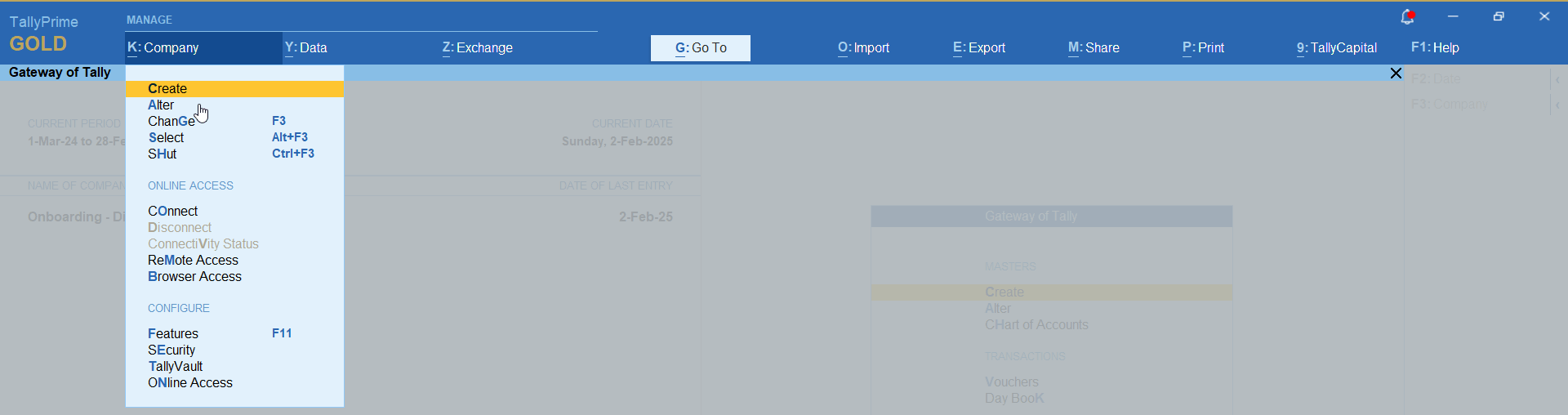
  • Go to → CompanyAlter

Step 2

2.png

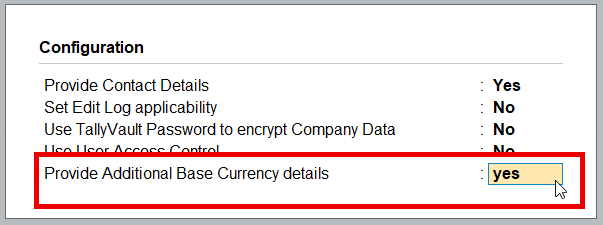
  • Press F12 (Configure) → provide additional base currency: Yes → press Ctrl+A to save.

Step 3

3.png

  • Change the required Decimal point

Step 4

4.png

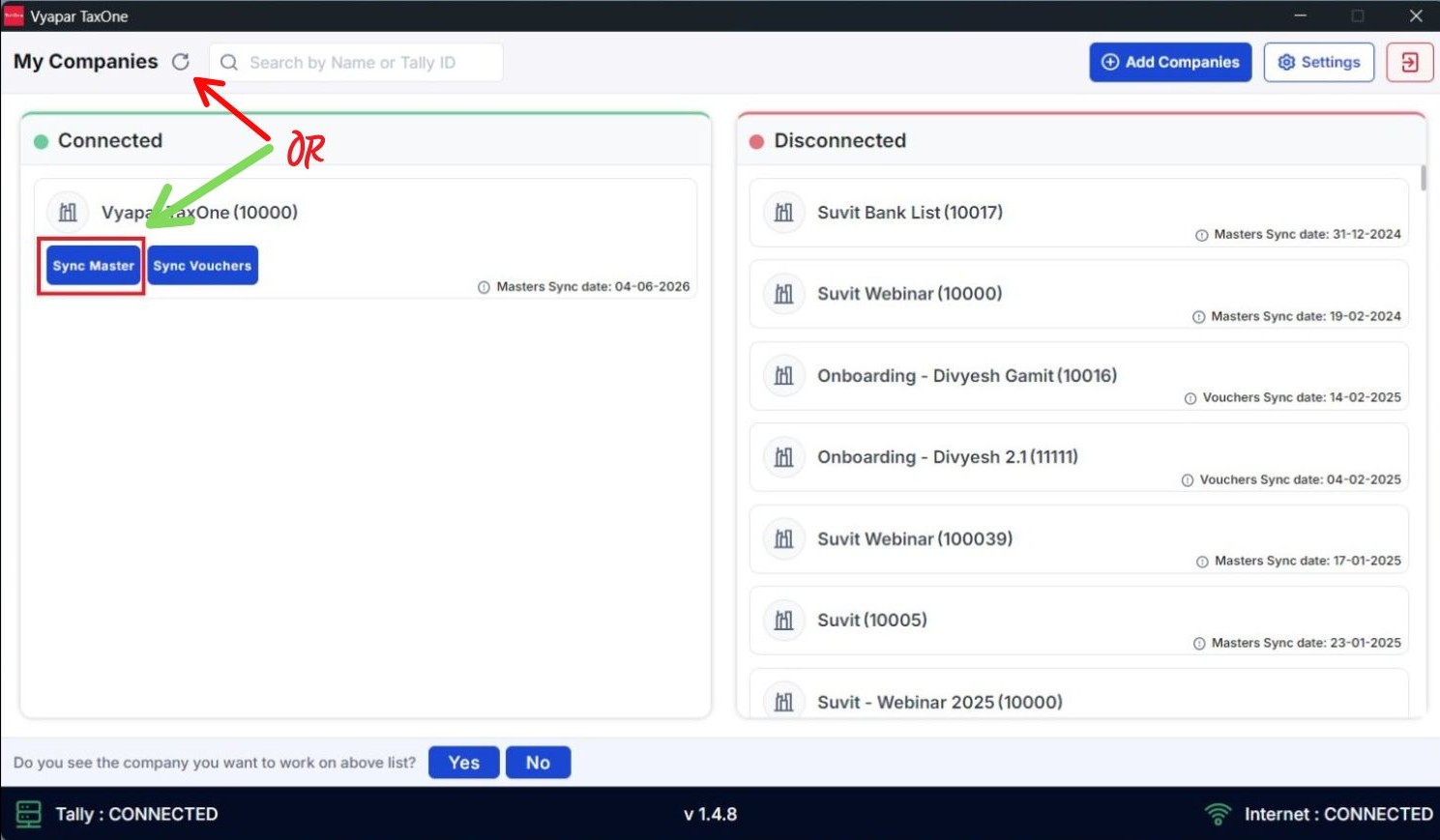
  • Open Vyapar TaxOne Desktop ApplicationRefresh or Sync voucher to get synced with Vyapar TaxOne

  • Then Refresh your Website Page.

  • You have now successfully completed the process.