How to Change or Update Suspense Party Name in Vyapar TaxOne’s Banking Module
Learn how to update or replace the Suspense Party Name in Vyapar TaxOne’s Banking Module by selecting the transaction and assigning the correct ledger.
Step 1 - Login to Vyapar TaxOne
Login into Vyapar TaxOne.
Step 2 - Navigate to Banking Module
- Click on Explore Now under Data Entry Automation.
- Go to the Bulk Upload from the Dashboard.
- Open the bank statement in Banking where the Suspense Party Name needs to be updated.
Step 3 - Identify the Suspense Entry
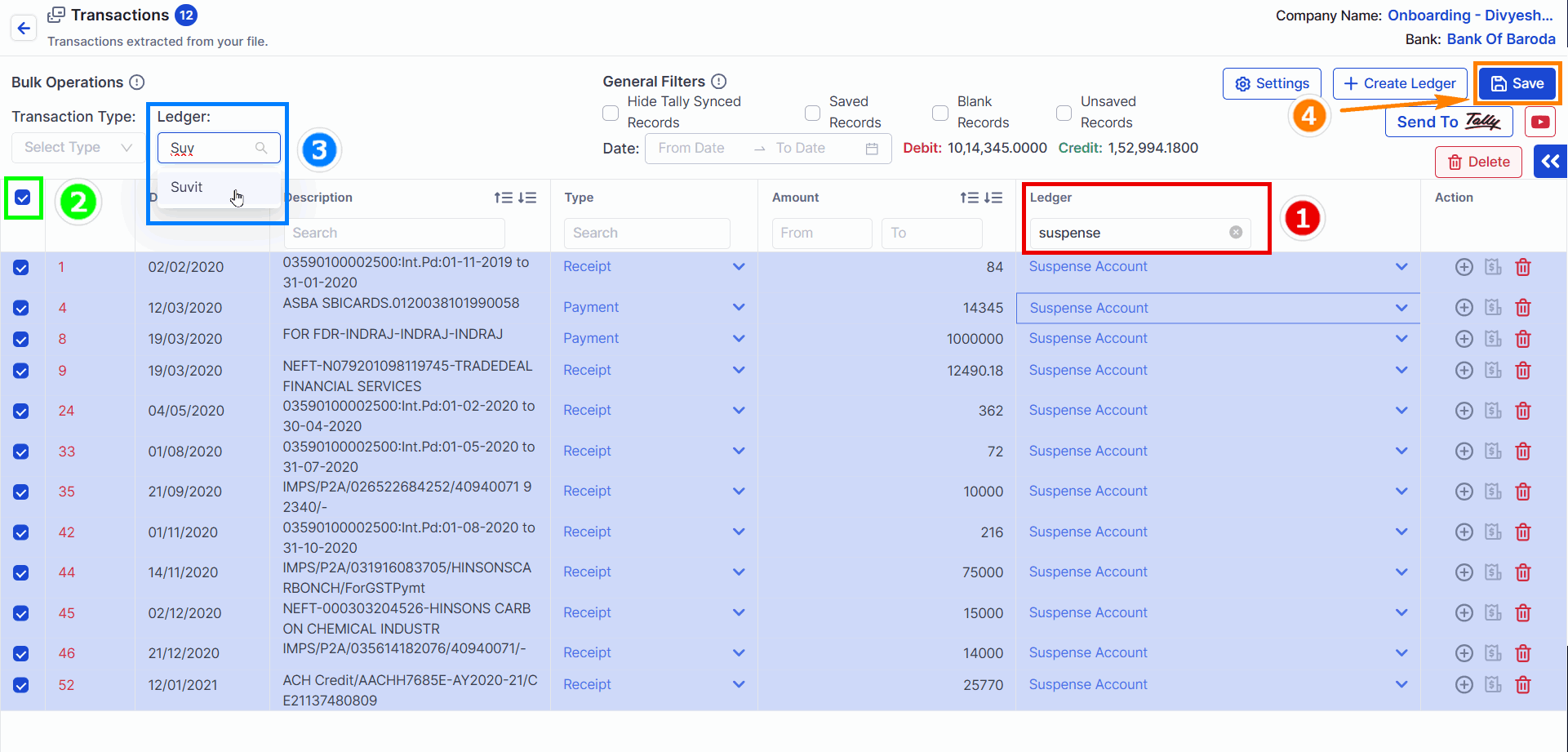
- 1 → Look for the transaction where the Suspense Ledger has been assigned.
- 2 → Select Transactions.
- 3 → Update with required Party Name
- 4 → Click on Save to update the entry.
Try this if the entry has already been sent to Tally.
Step 1 - Navigate to Banking Module
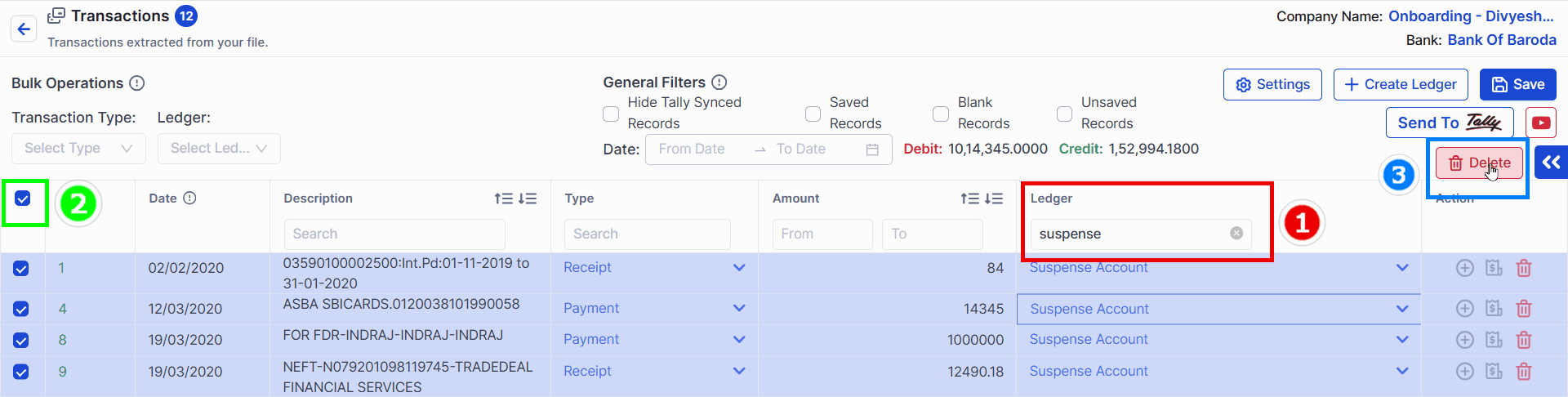
- 1 → Look for the transaction where the Suspense Ledger has been assigned.
- 2 → Select Transactions.
- 3 → Click on Delete Button
Step 2 - Delete Entry
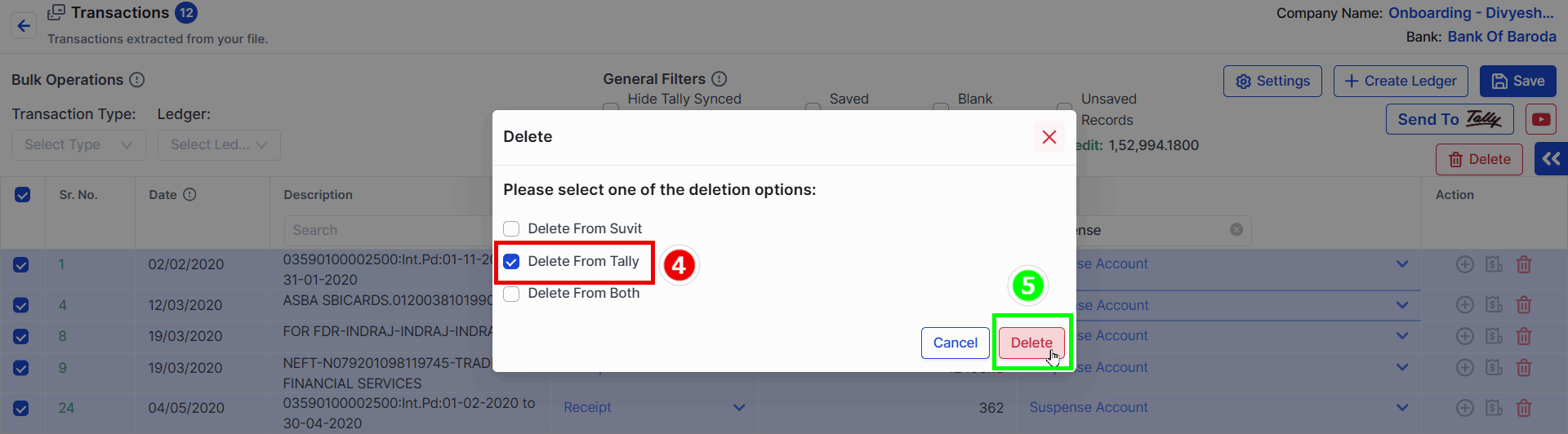
- 4 → Select Delete from Tally option
- 5 → Click on Delete Button
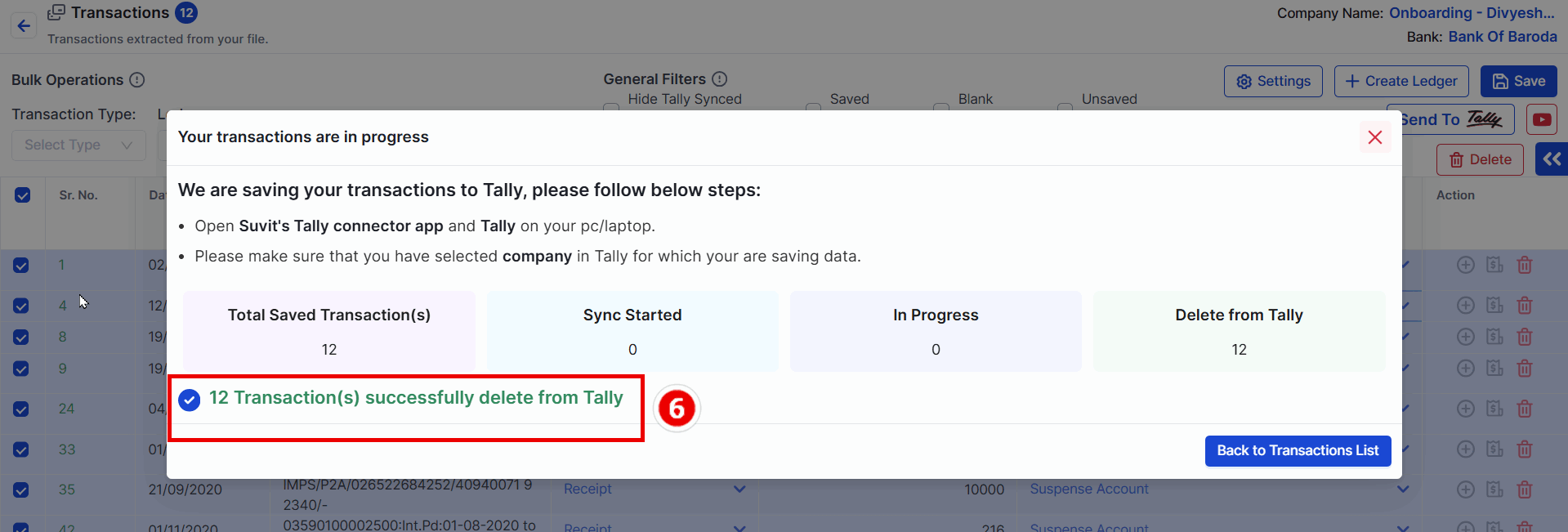
- 6 → Wait for the conformation message
- Now Repeat [Step 3 - Identify the Suspense Entry] from above to update suspense transcation.
Now, the Suspense Party Name has been successfully updated in Vyapar TaxOne. 🚀
